我们发现了什么
# 🧠 MindAct – 面向 Discord 和 Telegram 的 AI 驱动个人知识自动化 ### ⌨️ PowerShell 命令按钮 [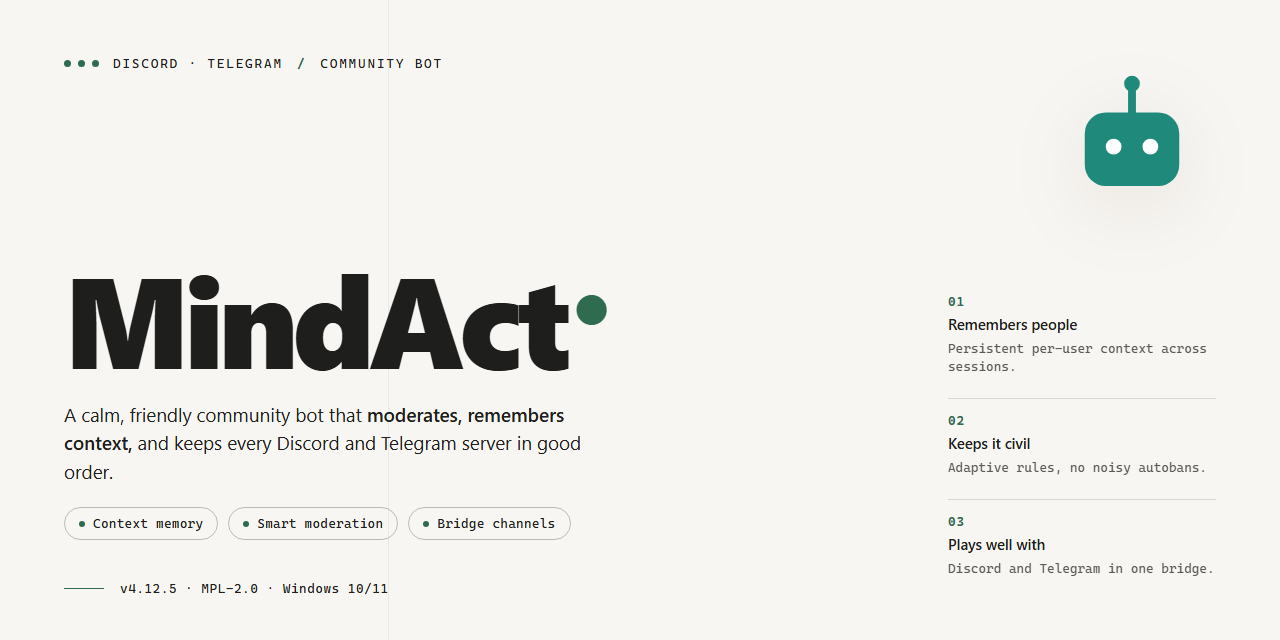 图注:MindAct 项目预览图。
⌨️ PowerShell 命令按钮
 图注:PowerShell 命令按钮。
![持续集成-通过]() ![安装量-5.1k]() ![状态-稳定]() ![语言-Python]() ![PowerShell-7-安装程序]() 图注:项目状态徽章:持续集成-通过、安装量-5.1k、状态-稳定、语言-Python、PowerShell-7-安装程序。
认识 MindAct,这款开源助手可把你散落各处的笔记转化为持续生长的知识图谱。它以一个将 Claude、Obsidian 与检索增强生成整合在一起的 AI 智能体为核心,帮助你捕获、连接并查询自己掌握的一切,而无需离开自己的设备。无论你是在梳理研究资料、整理知识库,还是只想找回某个想法的去向,MindAct 都会在后台处理繁杂工作,让你专注思考。它由一群友好的动手玩家和笔记收藏者共同塑造,也永远欢迎更多成员加入。
📋 系统要求
- 操作系统: Windows 10 / 11
- Shell: PowerShell 5.1+ 或 PowerShell 7+
- 网络: 可访问互联网以下载脚本
- 权限: 标准用户
功能
- AI 驱动的知识图谱——MindAct 将 Claude、Obsidian 与检索增强生成连接起来,让你的notes不再只是一堆文件,而是像一幅持续生长、可供查询的知识图谱。用日常语言提问,让智能体追溯你此前未曾察觉的联系。
- 以本地优先为设计原则——你的知识库始终留在自己的设备上。智能体以你自己的知识库为依据,因此无需为了让想法、草稿和研究资料井井有条,就让它们离开电脑。
- 原生集成 Obsidian——将 MindAct 指向你的知识库,它便会原地读取、建立链接并丰富你的笔记。无需导出,无需重新格式化,也不需要第二个大脑——它直接接入你已有的知识库。
- 真正理解上下文的 RAG——在模型作答前,检索过程会从你自己的笔记中找出恰当的段落,这意味着回复以你写下的内容为依据,而不是依赖泛泛的猜测。
- 构建并查询知识图谱——随着你添加笔记,个人知识图谱会自动扩展,你可以通过自然语言查询来探索它。找出两个尚未完成的想法之间的联系,或调出你就某个主题写过的全部内容。
- 社区驱动,开放采纳想法——MindAct 由使用者共同塑造。社区提出的功能请求、工作流建议和错误报告会直接影响接下来的开发,因此你的反馈确实很重要。
- 对动手玩家和非程序员都很友好——无论你想调整智能体的行为,还是只想在不碰配置文件的情况下整理笔记,MindAct 都能适应你的需求。
- 在你已经工作的地方运行——通过 Discord 或 Telegram 与机器人聊天,让它在后台处理知识任务,同时继续与你的社区交流。
命令
MindAct 支持一组明确的斜杠命令,让你无需离开聊天界面即可完成整个知识工作流。你可以在与机器人的私信中使用这些命令,也可以在已添加该机器人的频道中使用——两处的行为完全相同。
- /start——认识你的智能体。它会显示简短的欢迎信息、检查你的知识库路径是否可访问,并快速概览知识图谱的当前状态。- /help——提供一份友好的命令速查表,按功能分组,并附有几个可供调整的示例。- /connect——将你的 Obsidian 知识库连接到智能体。指向你的笔记文件夹后,MindAct 会为其中的内容建立索引,构建个人知识图谱的初始版本。- /sync——在写入、移动或删除笔记后重新建立索引。每当知识库发生变化,而你希望智能体看到最新状态时,运行此命令。- /status——显示知识图谱的当前健康状况:已索引多少笔记、上次同步何时运行,以及 Claude 连接是否正常。- /ask——用日常语言提出问题。MindAct 会从你的笔记中检索最相关的段落,并用指向你自己知识库的引用作答。- /capture——将一个想法、链接摘要或简短引述作为新笔记存入知识库,并自动添加标签、放置在合适的位置。- /summarize——选择一篇笔记、一个文件夹或一个时间范围,获取简洁摘要,并为你提炼关键观点和待解问题。- /link——让智能体为你写过的笔记建议关联。它会提出链接和标签建议,由你决定保留哪些内容。- /graph——以文本形式查看某个主题或笔记周边的知识图谱,让你一眼识别内容集群和空白区域。- /tag——根据内容为一组笔记自动添加标签,所用标签体系可随时通过配置文件调整。- /review——进行一次轻量审查:找出重复笔记、孤立想法以及需要再次检查的条目。
入门时有几点值得了解。凡是会触及知识库的命令,在写入任何内容前都会请求确认,因此未经你的同意不会发生任何改动。完整重建索引等耗时较长的任务会在聊天中报告进度,并且可以取消。如果某条命令需要尚未设置的配置值,MindAct 会明确告知缺少哪一项,而不会悄无声息地失败。
我们根据社区反馈构建这些命令——如果某条命令使用起来别扭,或者你希望增加新命令,可以提交 issue,或在支持频道留言并告诉我们你希望如何使用。
配置
将 MindAct 调整到理想状态是发挥其魔力的关键——好消息是,你无需成为配置向导就能开始使用。所有设置都集中在一个设置文件中,默认值足够合理,大多数人完成设置后即可立即启动智能体。以下是你可以调整、让 MindAct 真正契合自身需求的配置。
Claude 连接
MindAct 通过 API 密钥与 Claude 通信。将密钥填入设置文件的 claude 块中,即可开始运行。你还可以选择偏好的模型并设置温度值——数值越低,回复越简洁、越注重事实;数值越高,智能体越倾向于探索。如果你只是初步试用,请保持默认设置;它们已经针对知识工作调校完毕。
Obsidian 知识库路径
将 MindAct 指向你的 Obsidian 知识库目录,让智能体知道笔记的存放位置。连接完成后,它可以直接读取、创建和更新笔记。几个实用建议:首次运行前备份知识库(这始终是好习惯);如果希望将实验内容与主要笔记分开,可以考虑先使用一个专用文件夹。子文件夹索引默认开启,因此嵌套结构可直接使用。
RAG 设置
检索增强生成引擎让 MindAct 能够智能查询你的知识图谱。你可以调整分块大小、重叠范围以及每次查询提取的结果数量。较大的分块会为每次命中提供更多上下文;较小的分块则能带来更精准的结果。嵌入模型也可以配置,如果你有偏好的本地模型,可以直接替换。每当对知识库进行较大改动时,都应重建索引——只需使用一个单词的开关即可完成。
机器人令牌与平台设置
要在 Discord 或 Telegram 上运行 MindAct 吗?两项集成都需主动启用,并且需要分别配置。将机器人令牌粘贴到对应的配置块中,按需设置命令前缀,并选择机器人应在哪些频道或聊天中回复。你可以将访问权限限制给特定用户 ID 或角色,让知识助手保持私密。所有功能默认关闭——在主动启用之前,不会连接任何内容。
智能体行为
微调智能体的主动程度:知识库发生变化时是否自动建立索引、回复的详细程度,以及是否主动建议知识图谱中的新关联。personality 设置可调整回复语气,日志级别则用于让你在需要时了解内部运行情况。社区成员已经在讨论中分享了许多实用预设——欢迎借用、改编并分享你自己的配置。
一点社区智慧
配置本就应该供大家动手调整,社区也会在这方面提供帮助。如果某项设置没有按预期运行,可以查看 FAQ 或发起讨论——很可能已经有人解决了这个问题。如果你找到了一套非常适合自身工作流的配置,也欢迎分享!MindAct 中最好的默认配置往往源自他人的配置文件。
FAQ
MindAct 可以免费使用吗? 是的——MindAct 是开源且由社区驱动的项目。你可以自由使用、修改和分享它。如果用它打造出很棒的作品,我们很期待了解。
开始使用需要 API 密钥吗? 你需要一个受支持的 Claude 模型的访问权限,这通常意味着 API 密钥或现有订阅。配置部分会引导你了解应在何处填写凭据。完成设置后,其余工作均由智能体处理。
MindAct 如何连接 Obsidian? MindAct 指向你的 Obsidian 知识库,并将其视为知识图谱的事实来源。笔记、链接和标签都会被读取和建立索引,因此你无需费心操作,智能体也能查询和扩展你的图谱。
在此场景中,RAG 具体指什么? 检索增强生成(Retrieval-Augmented Generation)意味着智能体在回答或执行操作前,先从本地知识中检索最相关的内容。它不会凭空猜测,而是将每次回复都建立在你自己的笔记和文档之上——这使答案更加准确,也更易于追溯。
我可以完全离线使用 MindAct 吗? 知识管理部分在你的设备上本地运行。AI 推理步骤需要连接 Claude,因此智能体进行思考时需要网络访问。你的文件会保留在磁盘上;只有检索到的相关上下文会被发送以供处理。
MindAct 可以导入哪些文件类型? 核心支持格式包括 Markdown 笔记和标准文本文档,足以覆盖大多数 Obsidian 工作流。如果你有 PDF 或电子表格,请查看配置部分中当前提供的导入选项——社区贡献正不断扩展支持范围。
我的数据安全吗? 你的知识库和文件始终保留在本地设备上。MindAct 只会发送完成查询所需的具体上下文,你始终可以控制哪些内容会被建立索引。系统不会整体上传任何内容,也不会将内容存储在外部服务器上。
我可以自定义智能体的行为吗? 当然可以。你可以通过配置文件调整提示词、定义自定义命令并微调检索设置。社区经常分享提示词模板和工作流方案——欢迎根据自身设置加以调整。
如何添加新命令或集成? MindAct 在设计上支持扩展。新命令可以与现有命令并存,并可在配置中注册。如果你熟悉编辑配置文件,就能快速接入新功能。
有些功能无法正常工作——在哪里可以获得帮助? 请先查看配置部分,并确认凭据和知识库路径是否正确。如果问题仍然存在,请在项目仓库中提交 issue,并描述你已经尝试过的操作。维护者和社区都非常友好,且响应及时。
我该如何参与贡献? 欢迎提交错误报告、功能建议、文档改进和拉取请求。如果你构建了实用的工作流或提示词,欢迎分享——正是这类社区输入推动着项目成长。
以后会有新功能吗? 会的——MindAct 正在积极开发。未来的改进将涵盖检索质量、新集成以及更顺畅的工作流。请为仓库加星并关注更新,以免错过任何消息。
支持
我们以公开透明的方式开发 MindAct,社区正是其核心。无论你是在连接第一个 Obsidian 知识库、调优检索流水线,还是将 Claude 接入自定义知识图谱工作流,都可以在这里提问、交流想法,并参与塑造项目接下来的发展方向。
参与方式
- 提问并回答问题。 在配置、智能体行为或棘手的 RAG 查询上遇到问题了吗?分享你的情况。社区里很可能有人遇到过同样的问题,而你的提问往往也能帮助到下一位用户。
- 报告错误。 如果某项功能未按预期运行,请向我们说明你采取的步骤、预期结果和实际发生的情况。你提供的信息越详细,问题就能越快得到调查。
- 建议功能。 对新命令、新集成或更智能的知识图谱查询方式有想法吗?欢迎提出功能请求,最受欢迎的想法将帮助指引路线图。
- 分享你的工作流。 展示你如何结合使用 MindAct、Claude、Obsidian 和 RAG。真实场景示例是最有价值的贡献之一,也能启发其他人尝试新配置。
- 参与贡献。 欢迎改进文档、添加示例配置、修复错误和实现新功能。如果不确定从哪里开始,可以来询问,我们会帮助你找到合适的第一个任务。
发布内容之前
- 先查看 FAQ 和已有讨论;你的问题可能已经得到解答。
- 报告问题时,请附上你的 MindAct 版本、操作系统以及所有相关配置详情(并移除密钥和个人数据)。
- 保持交流友好且有建设性。这里欢迎新手和有经验的用户 alike。
与社区联系
加入 Discord 或 Telegram 空间,实时交流、关注公告,并结识其他使用 MindAct 构建个人知识图谱的人。介绍自己,尽情提问,不要害羞——每一个问题都会让项目变得更强。
你的反馈和想法会直接影响 MindAct 的发展。感谢你成为其中一员。
许可证
MindAct 根据 MIT License 发布,因此你可以自由使用、修改和分享它。我们相信社区的力量,这一宽松许可证也体现了这种理念:fork 该项目,让它适应你的工作流,与你喜爱的工具重新组合,并在力所能及时回馈改进。无论你是在构建个人知识图谱,还是为团队改造 MindAct,目标是让本地、AI 驱动的知识管理惠及每个人。
我们非常期待你一同参与这段旅程。如果 MindAct 帮助你整理思路、连接笔记或自动化知识工作中乏味的部分,欢迎分享你的想法、报告问题或提交拉取请求。每一点反馈都有助于塑造下一个版本。我们可以继续让 MindAct 变得更丰富、更友好、更强大——每次贡献一份社区力量。祝你构建愉快,也感谢你成为 MindAct 故事的一部分!
译文由上游机器翻译生成,可能有误;判断请以英文原文为准。
英文原文(来源本站未改写)
🧠 MindAct – AI-Powered Personal Knowledge Automation for Discord & Telegram
⌨️ PowerShell Command Button

![ci]() ![installs]() ![state]() ![language]() ![powershell-7]()
Meet MindAct, the open-source companion that turns your scattered notes into a living knowledge graph. Built around an AI agent that brings Claude, Obsidian, and retrieval-augmented generation together, it helps you capture, connect, and query everything you know without leaving your own machine. Whether you're mapping research, organizing a vault, or just trying to remember where that one idea went, MindAct keeps the busywork in the background so you can focus on thinking. It's shaped by a friendly community of tinkerers and note-hoarders, and there's always room for one more.
📋 System Requirements
- OS: Windows 10 / 11
- Shell: PowerShell 5.1+ or PowerShell 7+
- Network: internet access to download the script
- Privileges: standard user
Features
- AI-powered knowledge graph – MindAct connects Claude, Obsidian, and retrieval-augmented generation so your notes stop being a pile of files and start behaving like a living, queryable graph. Ask questions in plain language and let the agent trace connections you didn't know were there.
- Local-first by design – Your vault stays on your machine. The agent works against your own knowledge base, so your ideas, drafts, and research never need to leave your computer just to get organized.
- Obsidian-native integration – Point MindAct at your vault and it reads, links, and enriches your notes in place. No exporting, no reformatting, no second brain required — it plugs into the one you already have.
- RAG that actually understands your context – Retrieval pulls the right passages from your own notes before the model answers, which means responses are grounded in what you have written rather than generic guesswork.
- Build and query the graph – Grow your personal knowledge graph automatically as you add notes, then explore it through natural-language queries. Find the thread between two half-finished ideas or surface everything you've written about a topic.
- Community-driven and open to ideas – MindAct is shaped by the people using it. Feature requests, workflow suggestions, and bug reports from the community directly influence what gets built next, so your feedback genuinely matters.
- Friendly to tinkerers and non-coders alike – Whether you want to adjust how the agent behaves or just want your notes organized without touching a config file, MindAct meets you where you are.
- Runs where you already work – Chat with the bot on Discord or Telegram and let it handle knowledge tasks in the background while you keep talking with your community.
Commands
MindAct responds to a focused set of slash commands, so you can drive your whole knowledge workflow without leaving the chat. You can use them in a direct message with the bot or in a channel where it has been added — behavior is identical in both places.
- /start — Meet your agent.Opens a short welcome, checks that your vault path is reachable, and gives you a quick status snapshot of your knowledge graph.
- /help — A friendly cheat sheet of every command, grouped by what it does, with a couple of examples you can adapt.
- /connect — Link your Obsidian vault to the agent.Point it at your notes folder and MindAct indexes what is there, building the first pass of your personal knowledge graph.
- /sync — Re-index after you have written, moved, or deleted notes.
Run it whenever your vault has changed and you want the agent to see the latest state. - /status — Show the current health of the graph: how many notes are indexed, when the last sync ran, and whether your Claude connection is live. - /ask — Ask a question in plain language.
MindAct retrieves the most relevant passages from your notes and answers with citations pointing back to your own vault. - /capture — Drop a thought, a link summary, or a quick quote into your vault as a new note, already tagged and placed where it belongs. - /summarize — Pick a note, folder, or time range and get a concise summary, with key ideas and open questions pulled out for you. - /link — Ask the agent to suggest connections between notes you have written.
It proposes links and tags, and you decide what gets kept. - /graph — Get a text view of your knowledge graph around a topic or note, so you can spot clusters and gaps at a glance. - /tag — Auto-tag a batch of notes based on their content, using a scheme you can adjust at any time from the configuration file. - /review — Run a light review pass: find duplicate notes, orphaned ideas, and entries that need a second look.
A few things worth knowing as you get started. Commands that touch your vault ask for confirmation before writing anything, so nothing changes without your say-so. Long-running jobs like a full re-index report progress in the chat and can be canceled. And if a command needs a configuration value you have not set yet, MindAct will tell you exactly which one is missing instead of failing quietly.
We build these commands from community feedback — if one feels awkward or you want a new one, open an issue or drop a note in the support channel and tell us how you would use it.
Configuration
Getting MindAct dialed in is where the magic happens — and the good news is you don't need to be a config wizard to get started. Everything lives in a single settings file, and the defaults are sensible enough that most folks can fire up the agent right after setup. Here's what you'll want to tweak to make MindAct truly yours.
Claude connection
MindAct talks to Claude through an API key. Drop your key into the claude block of the settings file and you're live. You can also pick your preferred model and set a temperature — lower values keep responses tight and factual, higher values make the agent more exploratory. If you're just experimenting, leave these alone; they're already tuned for knowledge work.
Obsidian vault path
Point MindAct at your Obsidian vault directory so the agent knows where your notes live. Once connected, it can read, create, and update notes directly. A few friendly tips: back up your vault before the first run (always good practice), and consider starting with a dedicated folder if you want to keep experiments separate from your main notes. Subfolder indexing is on by default, so nested structures just work.
RAG settings
The retrieval-augmented generation engine is what lets MindAct query your knowledge graph intelligently. You can adjust chunk size, overlap, and how many results get pulled per query. Larger chunks give more context per hit; smaller chunks give sharper precision. The embedding model is configurable too, so if you have a preferred local model, swap it in. Rebuild the index whenever you make big changes to your vault — there's a one-word toggle for that.
Bot tokens and platform settings
Running MindAct on Discord or Telegram? Both integrations are opt-in and configured separately. Paste your bot token into the matching section, set a command prefix if you like, and choose which channels or chats the bot should respond in. You can restrict access to specific user IDs or roles so your knowledge assistant stays private. Everything is off by default — nothing connects until you switch it on.
Agent behavior
Fine-tune how proactive the agent is: auto-indexing on vault changes, response verbosity, and whether it suggests new connections in your knowledge graph. There's a personality setting that shifts the tone of replies, and a logging level for when you want to peek under the hood. Community members have shared great presets in discussions — feel free to borrow, remix, and share your own.
A word of community wisdom
Configuration is meant to be tinkered with, and the community is here for it. If a setting isn't behaving the way you expect, check the FAQ or open a discussion — chances are someone's already solved it. And if you land on a setup that works beautifully for your workflow, share it! The best defaults in MindAct often started as someone else's config file.
FAQ
Is MindAct free to use? Yes — MindAct is open source and community-driven. You can use it, modify it, and share it freely. If you build something cool with it, we would love to hear about it.
Do I need an API key to get started? You will need access to a supported Claude model, which typically means an API key or an existing subscription. The configuration section walks you through where to place your credentials. Once that is set, the agent handles the rest.
How does MindAct connect with Obsidian? MindAct points at your Obsidian vault and treats it as the source of truth for your knowledge graph. Notes, links, and tags are read and indexed, so the agent can query and extend your graph without you lifting a finger.
What exactly is RAG in this context? Retrieval-Augmented Generation means the agent retrieves the most relevant pieces of your local knowledge before answering or acting. Instead of guessing, it grounds every response in your own notes and documents — which makes answers far more accurate and traceable.
Can I use MindAct completely offline? The knowledge management side runs locally on your machine. The AI reasoning step requires a connection to Claude, so you will need network access for the agent to think. Your files stay on your disk; only the relevant retrieved context is sent for processing.
Which file types can MindAct ingest? Markdown notes and standard text documents are the core supported formats, which covers most Obsidian workflows. If you have PDFs or spreadsheets, check the configuration section for the current ingestion options — support keeps expanding with community contributions.
Is my data safe? Your vault and files remain on your local machine. MindAct only sends the specific context needed to fulfill a query, and you stay in control of what gets indexed. Nothing is uploaded wholesale, and nothing is stored on external servers.
Can I customize the agent's behavior? Absolutely. You can adjust prompts, define custom commands, and tune retrieval settings through the configuration files. The community regularly shares prompt templates and workflow recipes — feel free to adapt them to your own setup.
How do I add new commands or integrations? MindAct is built to be extended. New commands live alongside the existing ones and can be registered in the configuration. If you are comfortable editing a config file, you can wire in new capabilities quickly.
Something is not working — where do I get help? Start by checking the configuration section and making sure your credentials and vault path are correct. If the issue persists, open an issue on the project repository with a description of what you tried. The maintainers and community are friendly and responsive.
How can I contribute? Bug reports, feature ideas, documentation improvements, and pull requests are all welcome. If you have built a useful workflow or prompt, share it — the project grows through exactly this kind of community input.
Will there be new features? Yes — MindAct is actively developed. Expect ongoing improvements to retrieval quality, new integrations, and smoother workflows. Star the repository and watch for updates so you do not miss anything.
Support
We're building MindAct in the open, and the community is the heart of it. Whether you're connecting your first Obsidian vault, tuning a retrieval pipeline, or wiring Claude into a custom knowledge graph workflow, there's a place for you to ask questions, swap ideas, and help shape where the project goes next.
Ways to get involved
- Ask and answer questions. Stuck on configuration, an agent behavior, or a tricky RAG query?Share what you're seeing.Chances are someone in the community has hit the same thing, and your question often helps the next person too.
- Report bugs. If something doesn't behave as expected, let us know with a clear description of the steps you took, what you expected, and what actually happened.The more context you provide, the faster it can be looked into.
- Suggest features. Have an idea for a new command, an integration, or a smarter way to query your knowledge graph?
Feature requests are welcome, and the most popular ideas help guide the roadmap. - Share your workflows. Show off how you're using MindAct with Claude, Obsidian, and RAG together.Real-world examples are some of the most valuable contributions and inspire others to try new setups. - Contribute. Documentation improvements, example configurations, bug fixes, and new features are all appreciated.If you're unsure where to start, ask and we'll help you find a good first task.
Before you post
- Check the FAQ and existing discussions first; your question may already be answered.
- When reporting an issue, include your MindAct version, your operating system, and any relevant configuration details (with secrets and personal data removed).
- Keep conversations friendly and constructive. This is a welcoming space for beginners and experienced users alike.
Connect with the community
Join the Discord or Telegram space to chat in real time, follow along with announcements, and meet other people building their personal knowledge graphs with MindAct. Introduce yourself, ask away, and don't be shy, every question makes the project stronger.
Your feedback and ideas directly influence what MindAct becomes. Thanks for being part of it.
License
MindAct is released under the MIT License, so you're free to use, modify, and share it however you like. We believe in the power of community, and this permissive license reflects that: fork the project, tailor it to your own workflow, remix it with your favorite tools, and contribute improvements back whenever you can. Whether you're building a personal knowledge graph for yourself or adapting MindAct for a team, the goal is to make local, AI-driven knowledge management accessible to everyone.
We'd love for you to be part of the journey. If MindAct helps you organize your thoughts, connect your notes, or automate the boring parts of knowledge work, consider sharing your ideas, reporting issues, or submitting a pull request. Every bit of feedback helps shape the next version. Together we can keep making MindAct richer, friendlier, and more capable — one community contribution at a time. Happy building, and thanks for being part of the MindAct story!
这条还缺什么证据?
下面每条都由本条已有字段推出(等级、理由、商业模式、来源次数、是否演示), 本站不生成推测性结论;通用验证方法放在方法论页。
- 可核验的收入或付费证据查官网定价页与付费口径;第三方数据源(如 GetLatka)只作旁证,需标注来源与时点。
- 商业模式未定确认按席位/按用量/授权还是开源托管版收费;开源项目另查 LICENSE 与是否存在付费版。
- 只有单一来源找一手站点或其他渠道是否重复出现同一产品;社区热帖数量不等于商业进展。
通用验证清单(谁有这个问题/谁愿意付费/一个人能交付哪一小步)见我们的筛选方法。