面向 macOS 上每张照片和每帧视频的 AI 搜索
Show HN: AI search for every photo and every frame of video on macOS
我们发现了什么
Show HN:面向 macOS 上每张照片和每帧视频的 AI 搜索。
- 来源:Hacker News(发现于 2026-10-05)
- 证据等级:D · 发现产品或需求信号,暂未获得可核验的商业证据。
- 商业模式:待核验
- 主题:内容与设计
- 初筛评分:17/100 · 收录 1 次
证据,比故事更重要。
规则清洗与初筛,未经人工商业核验。原文语境、实际客户和付费情况仍需自行验证。
引用与数字披露
来源类型(原作者自述/第三方测算/媒体转引)需采集端标注,本版尚未落字段。
- 作者
- 未标注
- 抓取日期
- 来源类型
- 未标注
- 币种
- 未标注
- 口径
- 未标注
- 披露主体
- 未标注
- 披露日期
- 未标注
中文辅助译文(全文)

SCM — Screen Memories(屏幕记忆)
针对 macOS 上任何文件夹中的每一张照片和每一帧视频进行深度 AI 搜索。 本地优先——无需账号、无需云端、无需上传。推理在你的 Mac 上运行。
图注:SCM 应用界面演示——左图为照片/视频资料库网格视图,右图为基于场景的镜头搜索结果
它有何不同
- 像思考一样搜索——用自然语言描述一段记忆;本地视觉模型完成其余工作。
- 视频,直达瞬间——场景被切分并嵌入,因此你定位到的是那个镜头,而不仅仅是文件。
- 文字与对白也能搜——对可见文本进行 OCR;通过 Whisper 进行精确的台词搜索,各自作为一种独立模式。
- 你的标签页,你的提示——将任何查询保存为标签页;Screenshots(截图)和 Email(邮件)标签页可切换。
- 自维护的资料库——被监听的文件夹会自动导入,内容哈希可对重命名进行去重,模型切换会在后台重新嵌入而不阻塞搜索。
- 真正私密——你的媒体从不离开本机。权重仅下载一次;之后所有操作均离线进行。
五种搜索方式
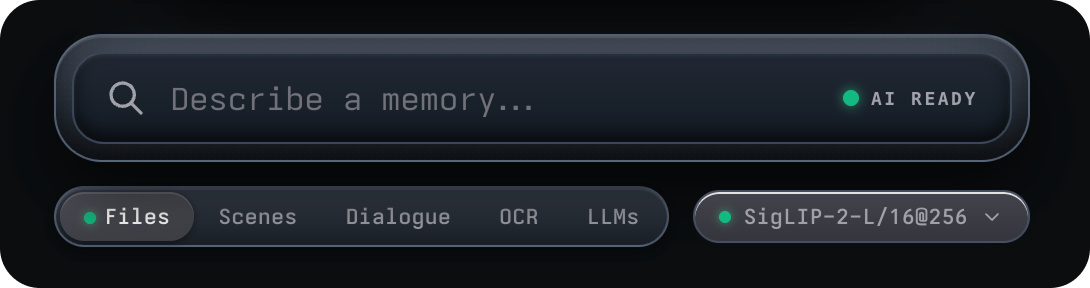
图注:搜索模式标签栏——Files(文件)、Scenes(场景)、Dialogue(对白)、OCR(文字识别)、LLMs(语言模型)
| 模式 | 查找内容 |
|---|---|
| Files(文件) | 按语义查找整张照片/视频——视觉排序,附带文件名和短语加权 |
| Scenes(场景) | 视频中的瞬间——搜索一个镜头,跳转到其时间码 |
| OCR(文字识别) | 图像和帧中可见的文字,按字面匹配(Tesseract;英语 + 35 种语言可切换) |
| Dialogue(对白) | 视频中精确的口述台词(Whisper),分精确度等级 |
| LLMs(语言模型,可选启用) | 基于本机已提取的对白、OCR 和文件名的本地聊天——带引文的回答 |
环境要求
- macOS(使用 electron-builder 打包;菜单栏/托盘功能仅限 macOS)
- Bun——项目使用 bun 作为包管理器和运行器
- Node 依赖安装:
bun install - 模型权重:首次使用某个模型时会下载其权重(默认 CLIP 约 435MB);之后完全离线运行。
下载与安装
最简单的安装方式是通过 Homebrew(Apple Silicon,macOS 12+)。该 tap 的 cask 会在每次安装和升级时自动清除 macOS 的隔离属性,因此应用无需手动执行 Gatekeeper 步骤即可启动:
brew tap allenv0/scm
brew trust allenv0/scm
brew install --cask allenv0/scm/scm
升级保持相同的行为:
brew upgrade --cask allenv0/scm/scm倾向于最小权限?只信任该 cask 而非整个 tap:
brew tap allenv0/scm
brew trust --cask allenv0/scm/scm
brew install --cask scm
The tap lives at allenv0/homebrew-scm。
本地开发
bun run dev          # 构建渲染进程包,然后启动 Electron 应用
bun start            # 启动 Electron 应用但不重新构建
bun run build        # 仅将渲染进程包重新构建到 dist/
构建应用包(DMG / ZIP)
bun run dist         # 如果钥匙串中有签名身份则进行签名
bun run dist:unsigned # 跳过代码签名发现
此命令按顺序运行两个步骤:
1. vite build — 将 React 渲染进程编译到 dist/(拾取 src/ 下的所有更改)。
2. electron-builder --mac — 打包应用。它将全新的 dist/ 包与 main.js、preload.js、main-lib/ 和 indexer/ 一起打包,然后生成安装程序。
输出:安装程序输出到 dist-app/ 中——查找 SCM-0.2.4.dmg 和 SCM-0.2.4.zip。
核心功能
Files(文件)
输入时立即进行文件名关键字预筛选,然后由视觉模型接管:结果根据与图像嵌入的余弦相似度打分,附带门控的短语和文件名加权、按模型标定的诚实度下限,以及近似重复多样性过滤器。每个缩略图都带有「为何匹配」徽章(视觉匹配 / 文件名匹配 / …)和悬停工具提示,显示各组件的得分细分。CJK 查询以重叠双字组合进行搜索(「台北車站」也会匹配 台北、车站)。
Scenes(场景)
对所有视频中的每个场景片段进行打分,因此命中会落在精确的镜头上:缩略图显示带有时间码徽章的场景海报,打开视频会直接跳转到该时刻。噪声门会返回「没有场景匹配」而不是用乱码淹没网格,每个视频最多贡献 3 个场景。
OCR(文字识别)
按字面匹配每张图像 OCR 文本中可见的查询词比例——忽略文件名,且不涉及视觉模型,因此即使在 AI 引擎预热中或离线时也能工作。匹配的词在缩略图和灯箱中以琥珀色框出。
Dialogue(对白)
对 Whisper 转录文本进行精确的字面检索——无嵌入、无阈值,在 AI 引擎下线时也能工作。结果分三个等级:Exact line(同一句话中的连续短语)、Exact words(同一句话或 ≤8 秒窗口内的所有词)、Words spoken(同一视频中的所有词)。匹配的词在对白片段中高亮;打开结果会直接定位到该行。
LLMs(Ask,问答)
可选启用——在 Settings → LLMs Chat 中启用之前不会下载或运行任何内容。绑定到 loopback 的 llama.cpp sidecar 根据应用已提取的证据——对白行、OCR 文本和文件名关键字命中——回答你的问题,带有可点击的编号引用,以 token/s 实时读数逐 token 流式传输。前导的 /screenshots、/videos、/email 缩小语料库;Stop 保留部分回答;证据为空时在模型运行前短路终止。
| Chat model(聊天模型) | Size(大小) | Notes(备注) |
|---|---|---|
| Qwen3 1.7B(默认) | ~1.1GB | 日常快速聊天;适合 8GB Mac |
| Llama 3.2 3B | ~2GB | 更强的长回答;需要更多余量 |
标签页与资料库视图
- 内置浏览标签页:All(全部)、Videos(视频),以及 Screenshots(截图)和 Email(邮件)——后两者可在 Settings → Smart Tabs 中切换。选择 Videos 会自动启用 Scenes 模式。
- 将任何查询保存为标签页:搜索栏下的固定药丸按钮以当前模式(Files/Scenes/OCR/Dialogue)保存当前提示——最多 20 个标签页,可重命名,每个都按原样恢复。
- 五个语义视图:可重新映射快捷键(默认 ⌘1–⌘5),以及 ⌘I 导入 / AI 洞察,⌘, 打开 Settings。
- 搜索保持在所选标签页内:选择 Screenshots、Email、Videos 或任何已保存的标签页,结果会被限定到该范围——先限定范围,再搜索。在 LLMs 聊天中这一思想更为显式:前导的
/screenshots、/videos、/email在模型运行前缩小语料库。
Email 标签页
呈现可见 OCR 文本中包含电子邮件地址的照片——这是一个叠加视图(照片仍保留其类别)。检测对 OCR 容错:它会重组 Tesseract 在单词框间断裂的地址,并处理逗号代替点的噪声("gmail,com")、拆分的 TLD("gmail. com")、括号混淆("allen [at] gmail [dot] com")以及口述的地址("allen at gmail dot com")。缩略图显示联系人条;展开后可复制或撰写邮件。
Screenshots 标签页
截图分类对重命名免疫。四个信号,按优先级排序:手动覆盖(右键任何缩略图)→ 文件名词汇(20 多种语言的 30 多个本地化操作系统截图名称)→ PNG/JPEG 元数据探测(从 PNG 文本块 / EXIF UserComment 中读取 "screenshot",因此重命名后的 Bildschirmfoto 仍可分类)→ 源文件夹提示。其余全部归入 Projects(项目)。
视觉模型
通过 ONNX Runtime 提供四个可切换模型;活动模型按资料库选定:
| Model(模型) | Role(角色) | Speed (CPU)(速度(CPU)) | Download(下载大小) |
|---|---|---|---|
| CLIP ViT-L/14@336(默认) | 最佳的真实世界视频场景搜索 | ~480–570ms/图 | ~435MB |
| SigLIP-2-B/16 | 最快的大批量导入 | ~50–100ms/图 | ~412MB |
| SigLIP-2-L/16@256 | 高细节(1024 维)——小物体、标志、屏幕文字 | ~200ms/图 | ~850MB |
| SigLIP-B/16@384 | 最大细节 | ~480ms/图 | ~214MB |
切换模型会重新嵌入整个资料库:切换瞬间生效,尾部在后台填充,搜索在该过程完成前回退到文件名关键字。每个模型的文本均值中心化去偏文本嵌入,使相似度分数在不同模型间保持诚实。
视频搜索流水线
ffmpeg 扫描每个视频的镜头边界并构建分段计划,采样密度可在 Settings → Video Search 中选择——每个预设都会在确认前显示其测量的时间和磁盘开销:
| Preset(预设) | Seconds per point(每个采样点的秒数) | Segment budget(分段预算) |
|---|---|---|
| Eco(节能) | 60 | 4–32 |
| Balanced(平衡,默认) | 30 | 8–128 |
| Detailed(详细) | 15 | 12–256 |
| Ultra(超) | 16 | 16–1024 |
| Ultra Pro(超 Pro) | 2.5 | 24–2048(需确认) |
每个分段嵌入其中点帧并保留海报;镜头计划按文件缓存(路径 + 大小 + 修改时间 + 配置指纹),因此重新导入会完全跳过检测。
对白转录:Whisper tiny.en(约 150MB,默认)或 base.en(约 300MB)——切换会重新转录每个视频。整个视频嵌入三帧(20/50/80%)取平均;GIF 嵌入中帧的平均。
OCR(文字识别)
Tesseract 在独立的工作进程中运行,与视觉模型分离。英语始终启用;另有 35 种语言可在 Settings → Photo Search 中切换(默认:简体中文 + 繁体中文、日语、韩语)。每种语言包仅下载一次(约 2.4–5MB;默认集合约 17MB),之后所有操作均离线。词框与文本一起存储,因此匹配可在原地高亮;CJK 文本无空格连接,跨词框断裂的电子邮件片段会被重新组装。
导入与资料库管理
- 导入方式:通过 ⌘I、拖放或被监听的文件夹导入——导入文件夹即开始监听(实时 fs.watch 加上每次启动时的重新同步)。问题文件最多重试 3 次,然后在它们变化之前不参与监听同步。
- 对重命名免疫的去重:每个文件在复制前进行内容哈希(SHA-256),错误的扩展名通过 MIME 嗅探进行规范化。
- 命名的嵌入版本(Settings → Library):整个可搜索状态的即时快照——索引、每个模型的嵌入桶、场景和转录副产物——支持恢复(先自动备份)和 Fresh Start 危险区。上限:10 个。
- 存储路径:一切数据均位于
~/Library/Application Support/scm下(MEMORIES_DATA_DIR可覆盖):索引 JSON、每个模型的 Float32 嵌入桶、场景与转录副产物、缩略图与海报。
架构层面的隐私保障
渲染进程是沙箱化的 app:// 包——contextIsolation、操作系统沙箱,以及固定为 'self' 的 CSP(外加用于显示字体的 Google Fonts CDN,离线时回退到等宽字体)。
仅主进程工作进程会进行下载,每种资源仅一次:视觉权重(Hugging Face)、OCR 语言包(Tesseract CDN)、Whisper 权重,以及——仅在你启用时——llama.cpp sidecar 和 GGUF 聊天模型(GitHub + Hugging Face),下载时进行 sha256 验证。
媒体被复制到应用管理的资料库并从磁盘流式读取。无遥测、无账号、无上传。
设置与界面打磨
macOS 风格设置表,包含十个面板(Library, Appearance, Grid, Smart Tabs, Photo Search, Video Search, LLMs Chat, Global Shortcut, Keyboard, Menu Bar)。核心之外:明/暗/跟随系统主题,灯箱的 CRT 屏幕效果,6 个备用应用图标,纯菜单栏模式,可录制的全局快捷键,首次运行的引导教程,背景工作托盘(场景 / 转录 / OCR)带全局暂停,以及带版本和已索引视频计数的状态栏。
译文由上游机器翻译生成,可能有误;判断请以英文原文为准。
英文原文(来源本站未改写)

SCM — Screen Memories
Deep AI search for every photo and every frame of video in any folder on macOS. Local-first — no accounts, no cloud, no uploads. Inference runs on your Mac.
What makes it different
- Search like you think — describe a memory in plain language;a local vision model does the rest. - Video, down to the moment — scenes are segmented and embedded, so you land on the shot, not just the file. - Text and dialogue too — OCR over visible text;exact spoken-line search via Whisper, each as its own mode. - Your tabs, your prompts — save any query as a tab;Screenshots and Email tabs are toggleable. - Self-maintaining library — watched folders auto-import, content hashes dedupe renames, and model switches re-embed in the background without blocking search. - Truly private — your media never leaves the machine.Weights download once;
everything after that is offline.
Five ways to search
| Mode | Finds |
|---|---|
| Files | Whole photos/videos by meaning — vision rank with filename and phrase boosts |
| Scenes | Moments inside video — search a shot, jump to its timecode |
| OCR | Text visible in images and frames, matched literally (Tesseract; eng + 35 language toggles) |
| Dialogue | Exact spoken words in videos (Whisper), tiered exactness |
| LLMs (opt-in) | Local chat over the dialogue, OCR, and filenames your Mac already extracted — cited answers |
Requirements
- macOS (packaged with electron-builder; menu-bar/tray features are macOS-only)
- Bun — the project uses bun as package manager and runner
- Node modules installed:
bun install - Model weights: First use of a model downloads its weights (~435MB for the default CLIP); after that, fully offline.
Download & Install
The easiest install is via Homebrew (Apple Silicon, macOS 12+). The tap's cask clears the macOS quarantine flag automatically on every install and upgrade, so the app launches with no manual Gatekeeper steps:
brew tap allenv0/scm
brew trust allenv0/scm
brew install --cask allenv0/scm/scm
Upgrades keep the same behavior:
brew upgrade --cask allenv0/scm/scmPrefer least privilege? Trust just the cask instead of the whole tap:
brew tap allenv0/scm
brew trust --cask allenv0/scm/scm
brew install --cask scm
The tap lives at allenv0/homebrew-scm.
Development
bun run dev          # build the renderer bundle, then launch the Electron app
bun start            # launch the Electron app without rebuilding
bun run build        # just rebuild the renderer bundle into dist/
Building the app package (DMG / ZIP)
bun run dist         # signed if an identity is in the keychain
bun run dist:unsigned # skip code-sign discovery
This runs two steps in sequence:
1. vite build — compiles the React renderer into dist/ (picks up all changes under src/).
2. electron-builder --mac — packages the app. It bundles the fresh dist/ bundle together with main.js, preload.js, main-lib/, and indexer/, then produces the installers.
Output: the installers land in dist-app/ — look for SCM-0.2.4.dmg and SCM-0.2.4.zip.
Features
Files
Typing starts an instant filename-keyword pre-pass, then the vision model takes over: results are scored by cosine similarity against image embeddings, with gated phrase and filename boosts, an honesty floor calibrated per model, and a near-duplicate diversity filter. Every tile carries a "why it matched" badge and a hover tooltip with score breakdowns.
Scenes
Every scene segment across all videos is scored, so a hit lands on the exact shot: tiles show the scene poster with a timecode badge, and opening the video jumps straight to that moment.
OCR
Matches the fraction of query tokens literally visible in each image's OCR text — the filename is ignored and no vision model is involved, so it works even while the AI engine is warming up or offline.
Dialogue
Exact literal retrieval over Whisper transcripts — no embeddings, no thresholds, works with the AI engine down. Results come in three tiers: Exact line, Exact words, and Words spoken.
LLMs (Ask)
Opt-in — nothing downloads or runs until enabled in Settings → LLMs Chat. A llama.cpp sidecar bound to loopback answers your question from evidence the app already extracted with numbered citations.
| Chat model | Size | Notes |
|---|---|---|
| Qwen3 1.7B (default) | ~1.1GB | Fast everyday chat; fits 8GB Macs |
| Llama 3.2 3B | ~2GB | Stronger long answers; needs headroom |
Tabs & library views
- Built-in browse tabs: All, Videos, plus Screenshots and Email.
- Save any query as a tab: the pin pill under the search bar saves the current prompt with its mode — up to 20 tabs.
- Five semantic views behind remappable shortcuts (⌘1–⌘5).
Email tab
Surfaces photos whose visible OCR text contains an email address with fault tolerance for OCR fracture.
Screenshots tab
Screenshot classification is rename-proof across four priority signals.
Vision models
| Model | Role | Speed (CPU) | Download |
|---|---|---|---|
| CLIP ViT-L/14@336 (default) | Best real-world video scene-search | ~480–570ms/img | ~435MB |
| SigLIP-2-B/16 | Fastest bulk import | ~50–100ms/img | ~412MB |
| SigLIP-2-L/16@256 | High-detail (1024-dim) | ~200ms/img | ~850MB |
| SigLIP-B/16@384 | Maximum detail | ~480ms/img | ~214MB |
Video search pipeline
| Preset | Seconds per point | Segment budget |
|---|---|---|
| Eco | 60 | 4–32 |
| Balanced (default) | 30 | 8–128 |
| Detailed | 15 | 12–256 |
| Ultra | 16 | 16–1024 |
| Ultra Pro | 2.5 | 24–2048 |
OCR
Tesseract runs in its own worker, separate from the vision model. English is always on; 35 more languages are toggleable.
Import & library management
Import via ⌘I, drag-and-drop, or watched folders. Deduplication via SHA-256 content hashing. Named embedding versions for point-in-time snapshots.
Privacy by construction
The renderer is a sandboxed app:// bundle. Only main-process workers ever download model weights. Media is copied into the app-managed library and streamed from disk. No telemetry, no accounts, no uploads.
这条还缺什么证据?
下面每条都由本条已有字段推出(等级、理由、商业模式、来源次数、是否演示), 本站不生成推测性结论;通用验证方法放在方法论页。
- 可核验的收入或付费证据查官网定价页与付费口径;第三方数据源(如 GetLatka)只作旁证,需标注来源与时点。
- 商业模式未定确认按席位/按用量/授权还是开源托管版收费;开源项目另查 LICENSE 与是否存在付费版。
- 只有单一来源找一手站点或其他渠道是否重复出现同一产品;社区热帖数量不等于商业进展。
通用验证清单(谁有这个问题/谁愿意付费/一个人能交付哪一小步)见我们的筛选方法。