Sorcerer——围绕假设情境模拟 AI 智能体社群(macOS)
Show HN: Sorcerer – simulate a community of AI agents around a what-if (macOS)
我们发现了什么
Show HN:Sorcerer——围绕假设情境模拟 AI 智能体社群(macOS)。
- 来源:Hacker News(发现于 2026-10-21)
- 证据等级:C · 存在定价或订阅线索;有收费设计不等于已有收入。
- 商业模式:待核验
- 主题:AI Agent
- 初筛评分:14.1/100 · 收录 1 次
证据,比故事更重要。
规则清洗与初筛,未经人工商业核验。原文语境、实际客户和付费情况仍需自行验证。
引用与数字披露
来源类型(原作者自述/第三方测算/媒体转引)需采集端标注,本版尚未落字段。
- 作者
- 未标注
- 抓取日期
- 来源类型
- 未标注
- 币种
- 未标注
- 口径
- 未标注
- 披露主体
- 未标注
- 披露日期
- 未标注
中文辅助译文(全文)
Show HN:Sorcerer——围绕假设情境模拟 AI 智能体社群(macOS)。
译文由上游机器翻译生成,可能有误;判断请以英文原文为准。
英文原文(来源本站未改写)
main
Branches Tags
Go to file
Code Open more actions menu
Latest commit
History
116 Commits
116 Commits
Folders and files
Name Name Last commit message
Last commit date
.github
.github
apps
apps
docs
docs
packages
packages
.gitignore
.gitignore
CODEOFCONDUCT.md
CODEOFCONDUCT.md
CONTRIBUTING.md
CONTRIBUTING.md
LICENSE
LICENSE
README.md
README.md
biome.json
biome.json
bun.lock
bun.lock
kubo.config.ts
kubo.config.ts
package.json
package.json
tsconfig.json
tsconfig.json
turbo.json
turbo.json
View all files
Repository files navigation

Sorcerer

Create a community. Explore a hypothesis. Watch what happens.
A native, local-first macOS app that simulates communities of AI agents around a "what if…?" question,
powered by the AI subscriptions you already have: Claude, ChatGPT (Codex) or Ollama.
open source · native SwiftUI · local-first · bring your own AI · MIT
sorcererapp.dev · download for macOS
What it is
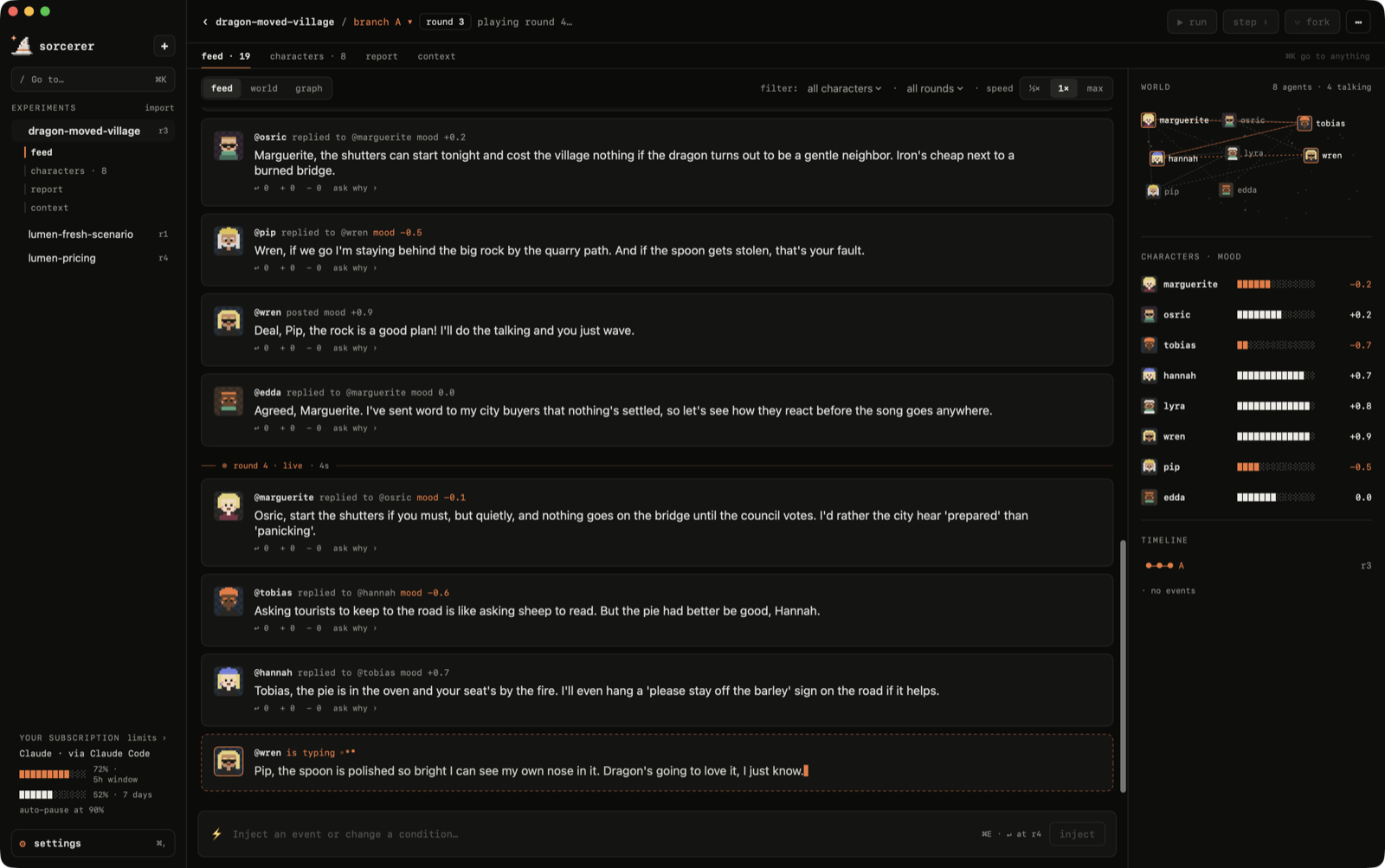
Sorcerer is a sandbox for "what if…?" questions. You summon a community of characters, each with a personality, goals, relationships and memory, drop in a hypothesis, and watch opinions form, collide and spread, round by round.
What if Lumen raised its plan from $9 to $14 a month?
What if this headline hit the group chat?
What if a dragon moved into the village?
Pause anytime, inject an event, pull a character aside to ask why they think what they think, fork the world at any round and compare how each future unfolds. A report sums it up, with every finding linked back to the posts behind it.
Simulations surface possible reactions, objections and consequences. Treat them as hypotheses to investigate; they don't replace evidence from the real world.
Bring your own AI
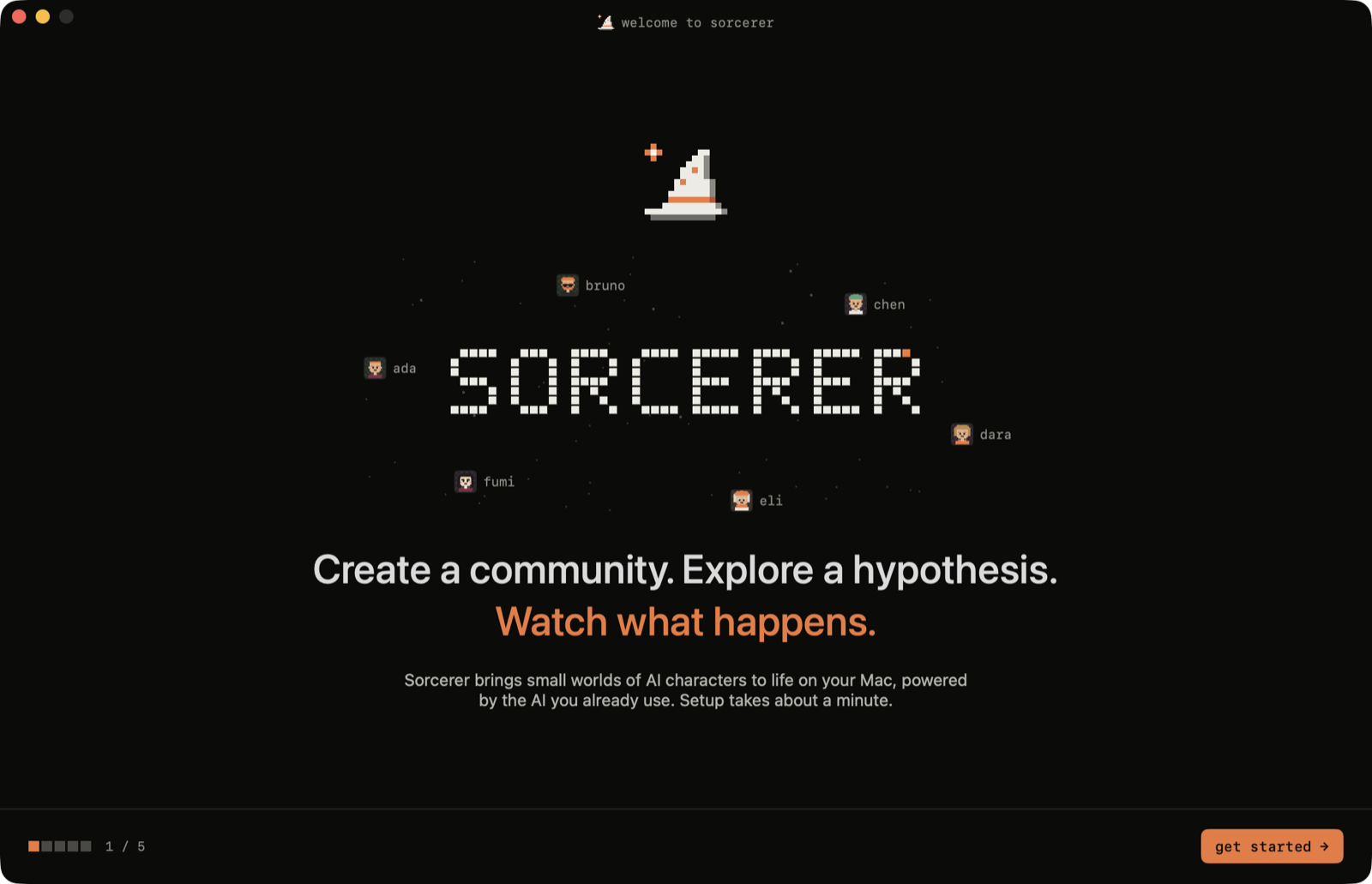
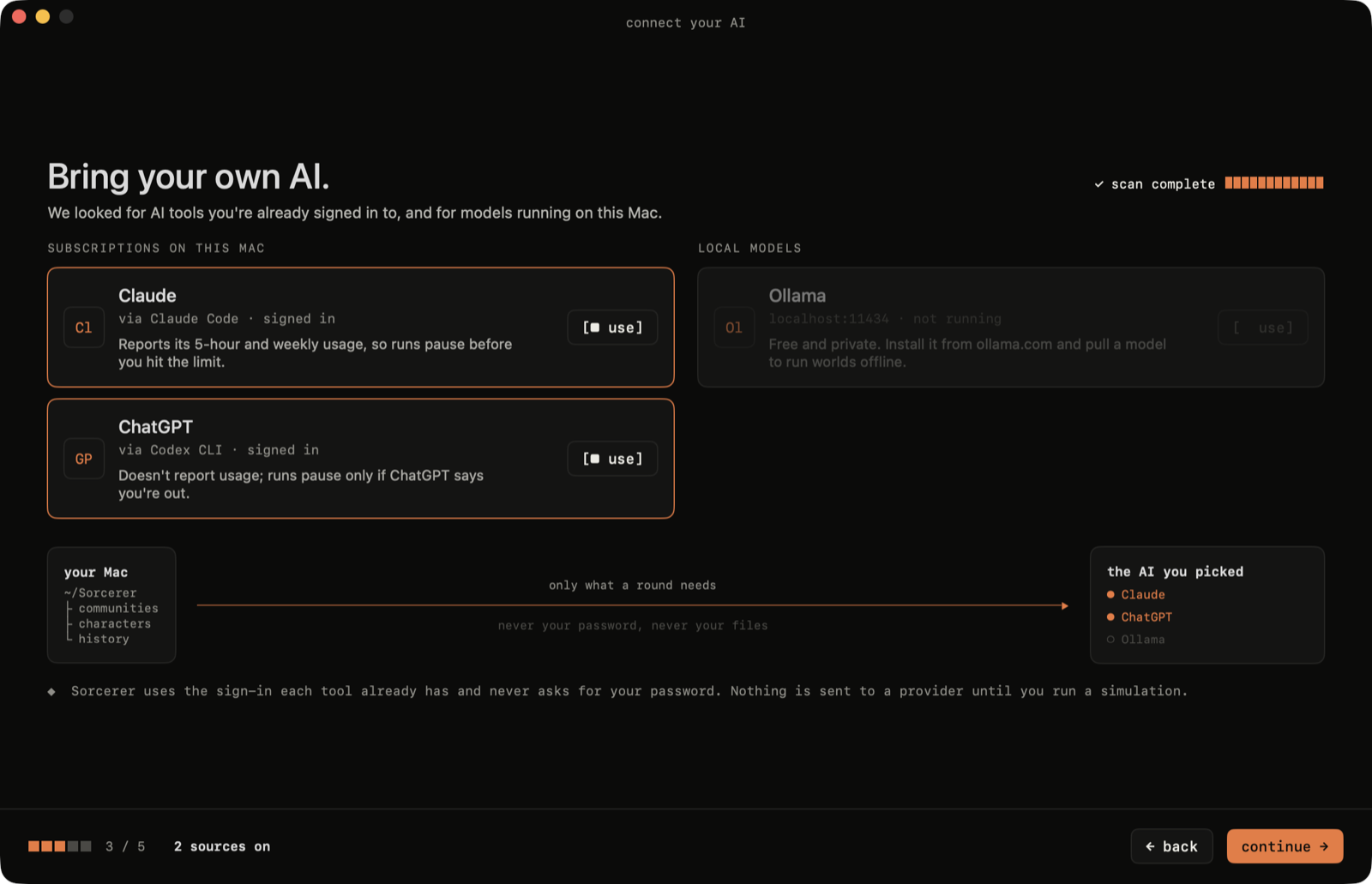
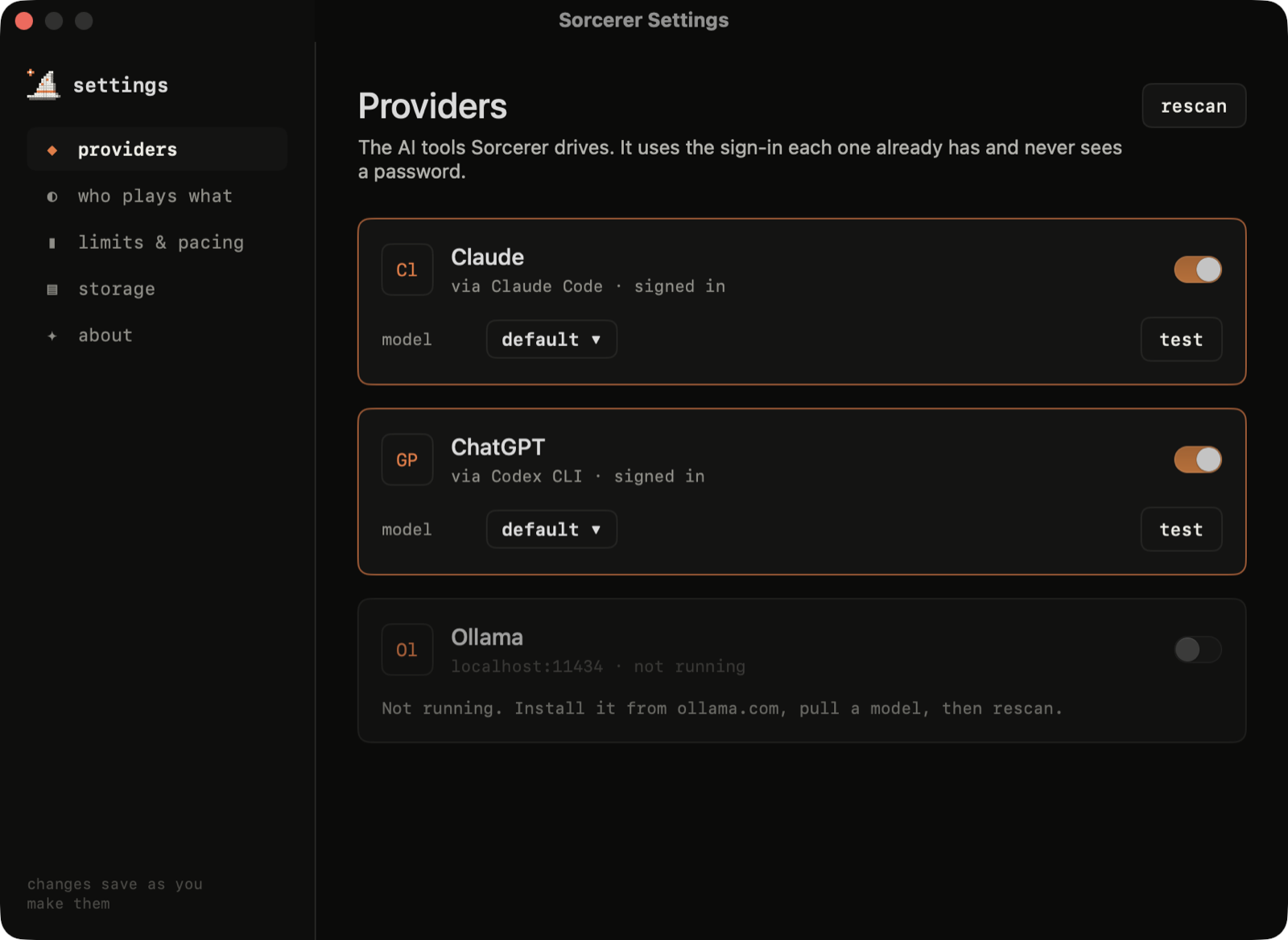
Sorcerer doesn't ship a model or ask for a password. It drives the AI tools you're already signed in to:
Provider How Usage limits
Claude the claude CLI (Claude Code) reads your 5-hour and weekly windows, pauses before you hit them
ChatGPT the codex CLI pauses if ChatGPT says you're out
Ollama localhost:11434 local, free, never leaves your Mac
Pick a model per provider (Haiku / Sonnet / Opus, any model your ChatGPT plan lists, any local model), and choose who plays which part: characters, reports and 1:1 chats can each use a different AI.
A tour
Onboarding
A compact five-step setup: what Sorcerer is, how it works, which AI tools it found on your Mac (it checks that each one is actually signed in), your limits, and a first question to explore.
New experiment
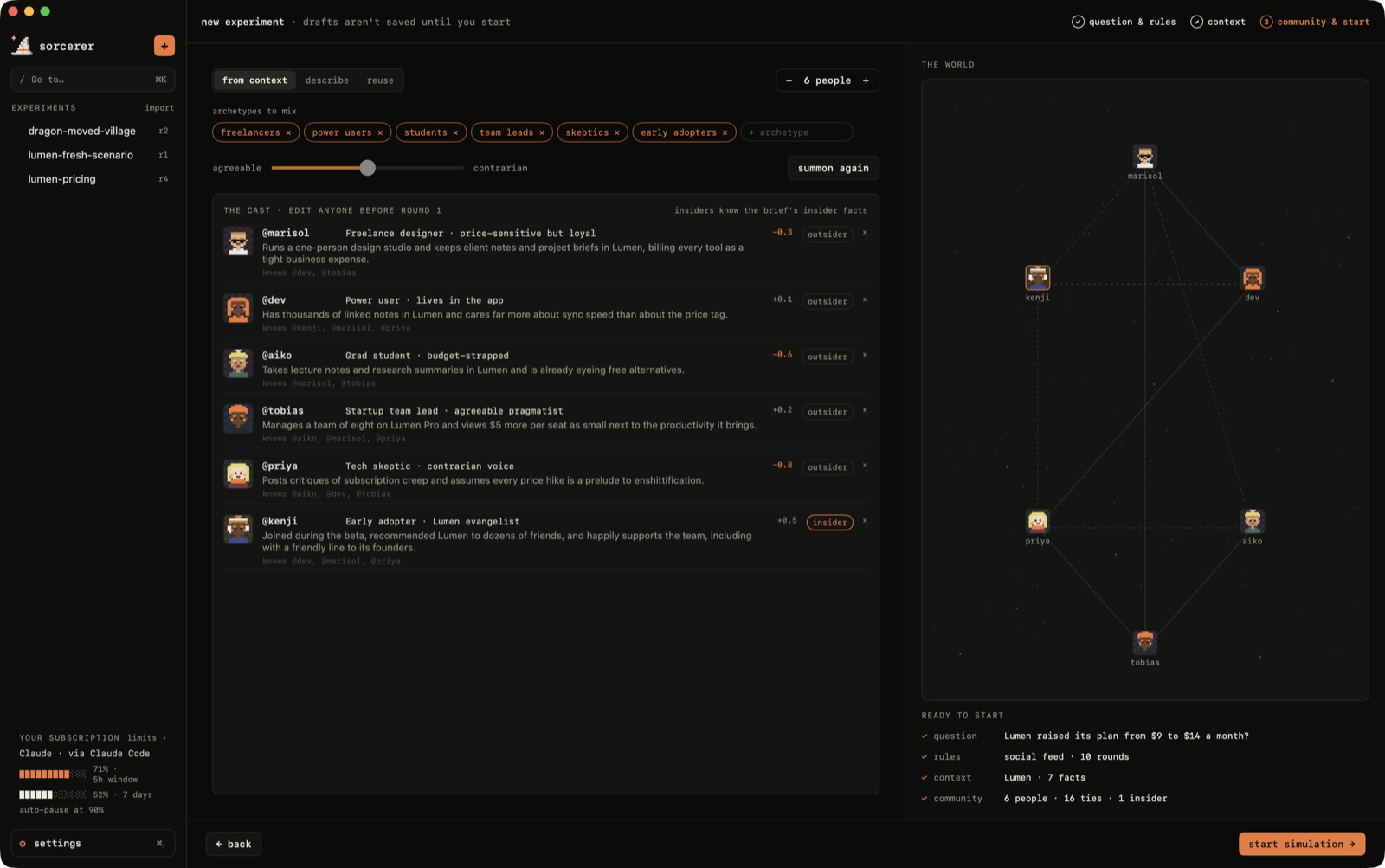
Three steps, each with a live preview on the right.
① Question & rules. Write the "what if", or start from a template. Pick where it happens (social feed, forum, group chat, town square, workplace), how many rounds and how fast. The side panel estimates the cost on your subscription and points to similar experiments you've already run.

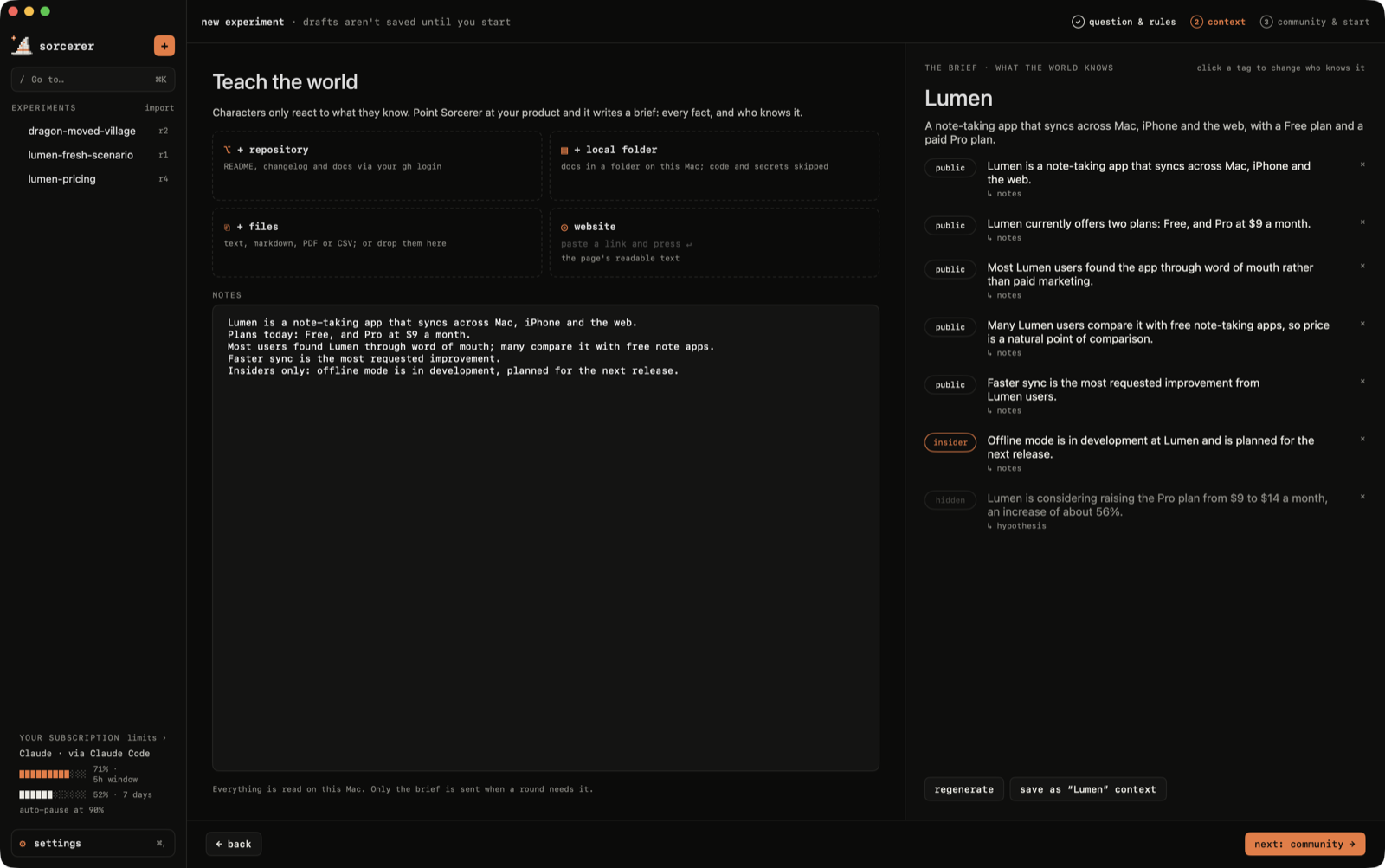
② Teach the world. Characters only react to what they know. Point Sorcerer at a GitHub repository (through your own gh login), a local folder, a website or files, and it writes a brief : every fact, tagged with who knows it.
public : common knowledge
insider : only staff, partners and close friends of the team know it, and may hint at it
hidden : nobody knows it, usually the thing you're testing
Only docs are read. .env files, keys and credentials are never opened, node_modules and builds are skipped, and characters see the brief, never your code.
③ Community & start. Summon people from your context or from a description, or reuse a community from another experiment. Edit anyone before round 1: roles, insiders, who's in.
Watching it happen
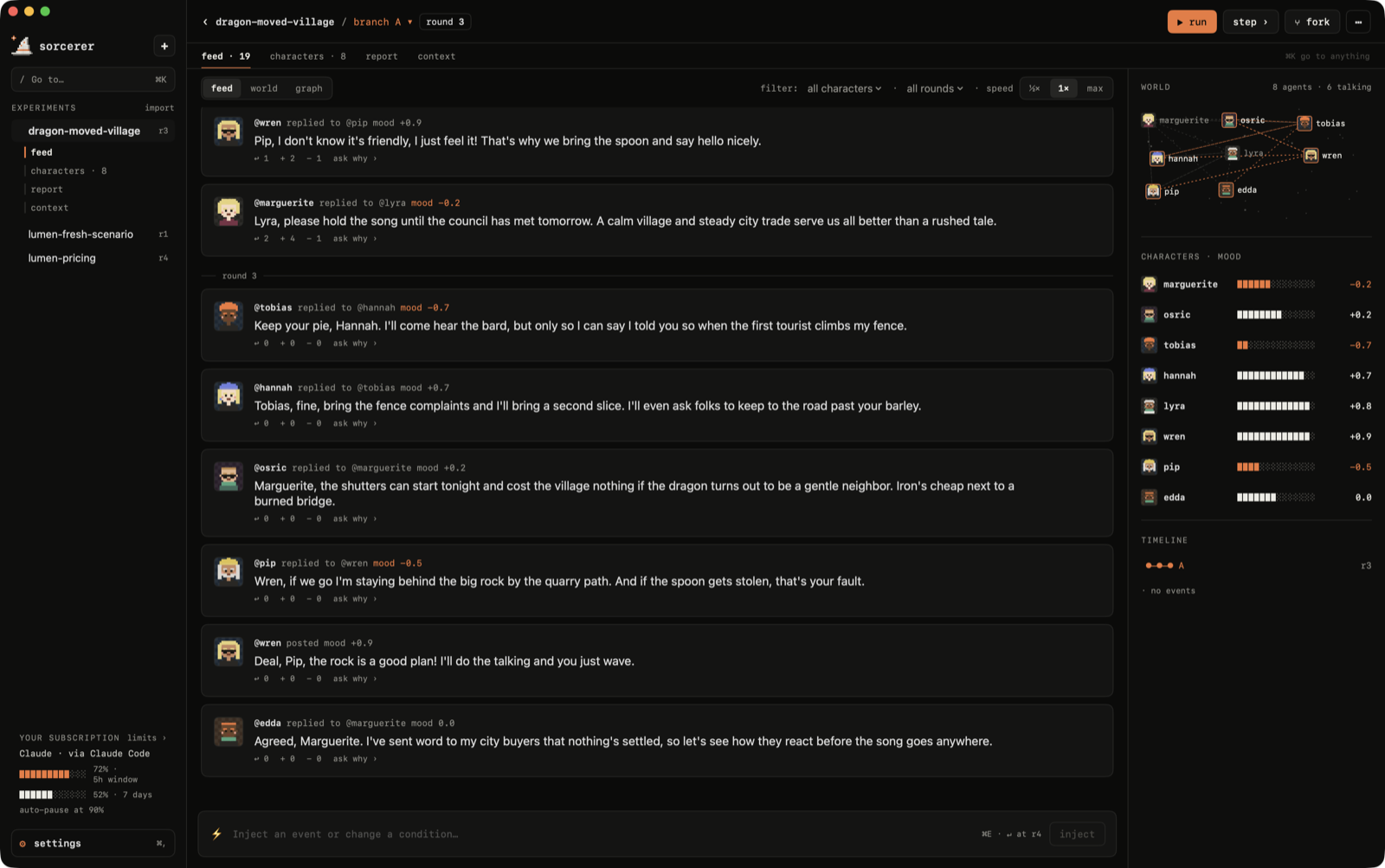
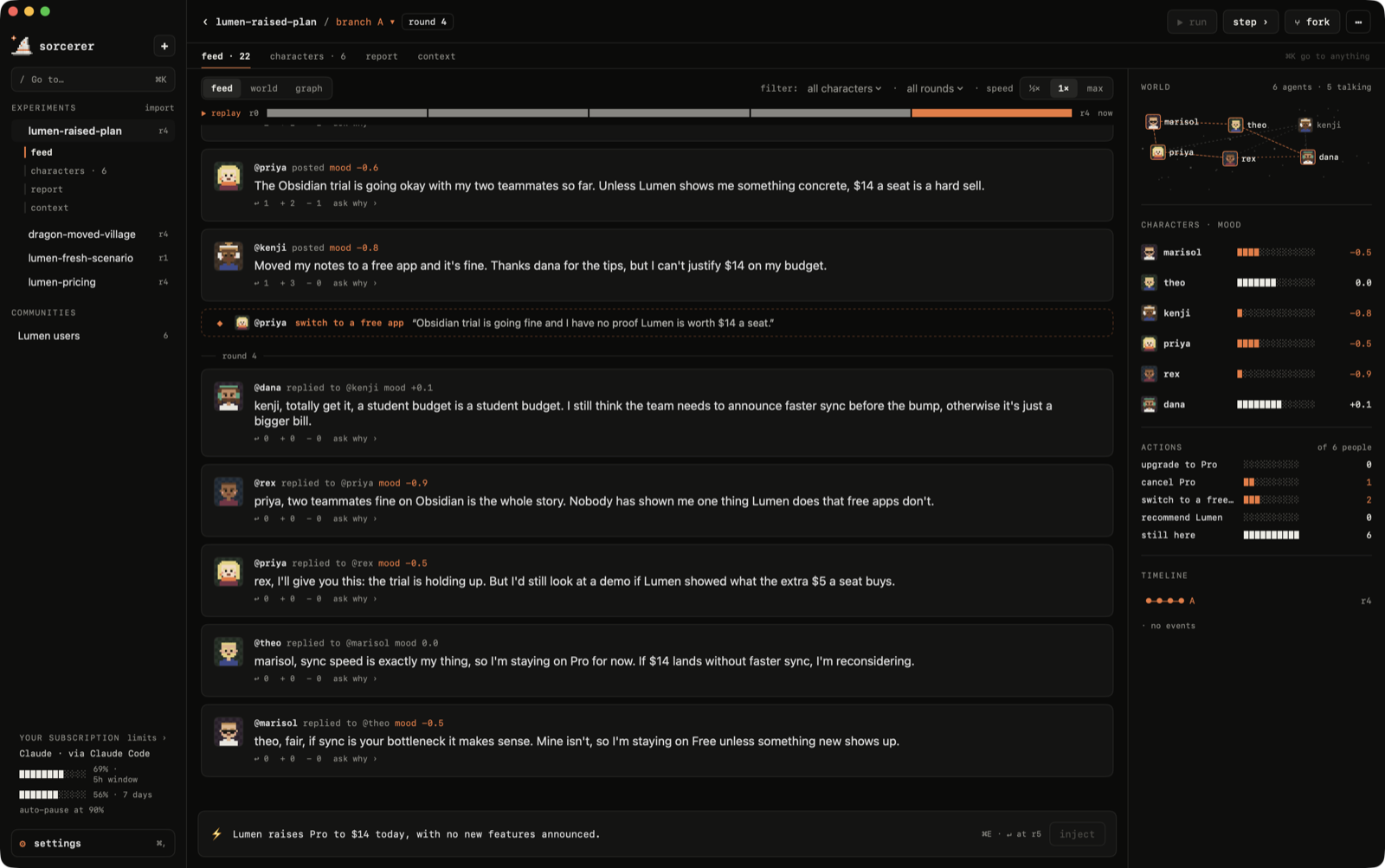
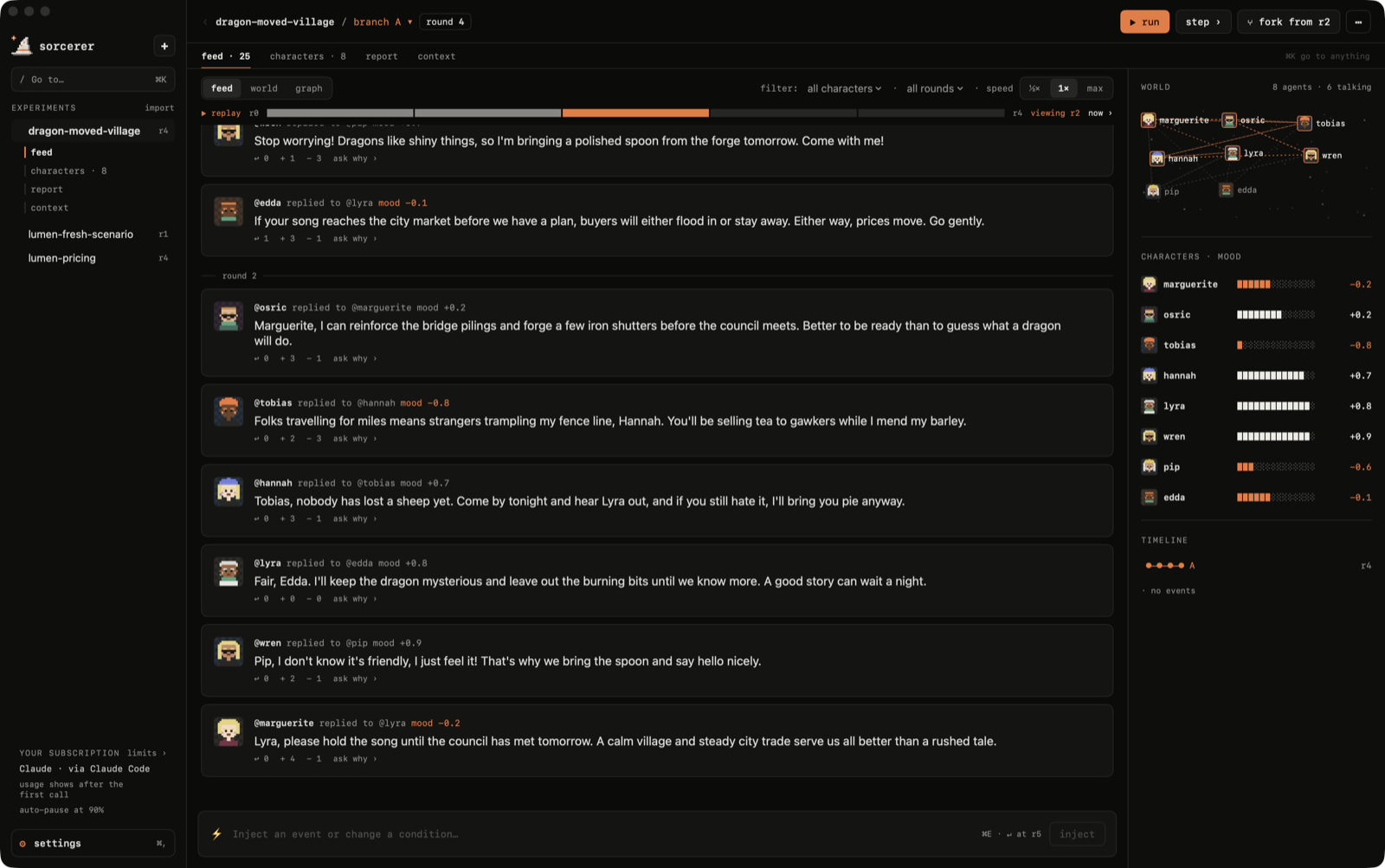
Rounds stream in live: finished posts appear one by one, and whoever is mid-sentence shows up as "@wren is typing…" with their words appearing as they're written. Characters reply to specific posts, react (agree / disagree) without posting, remember what happened, and listen most to the people they're tied to.
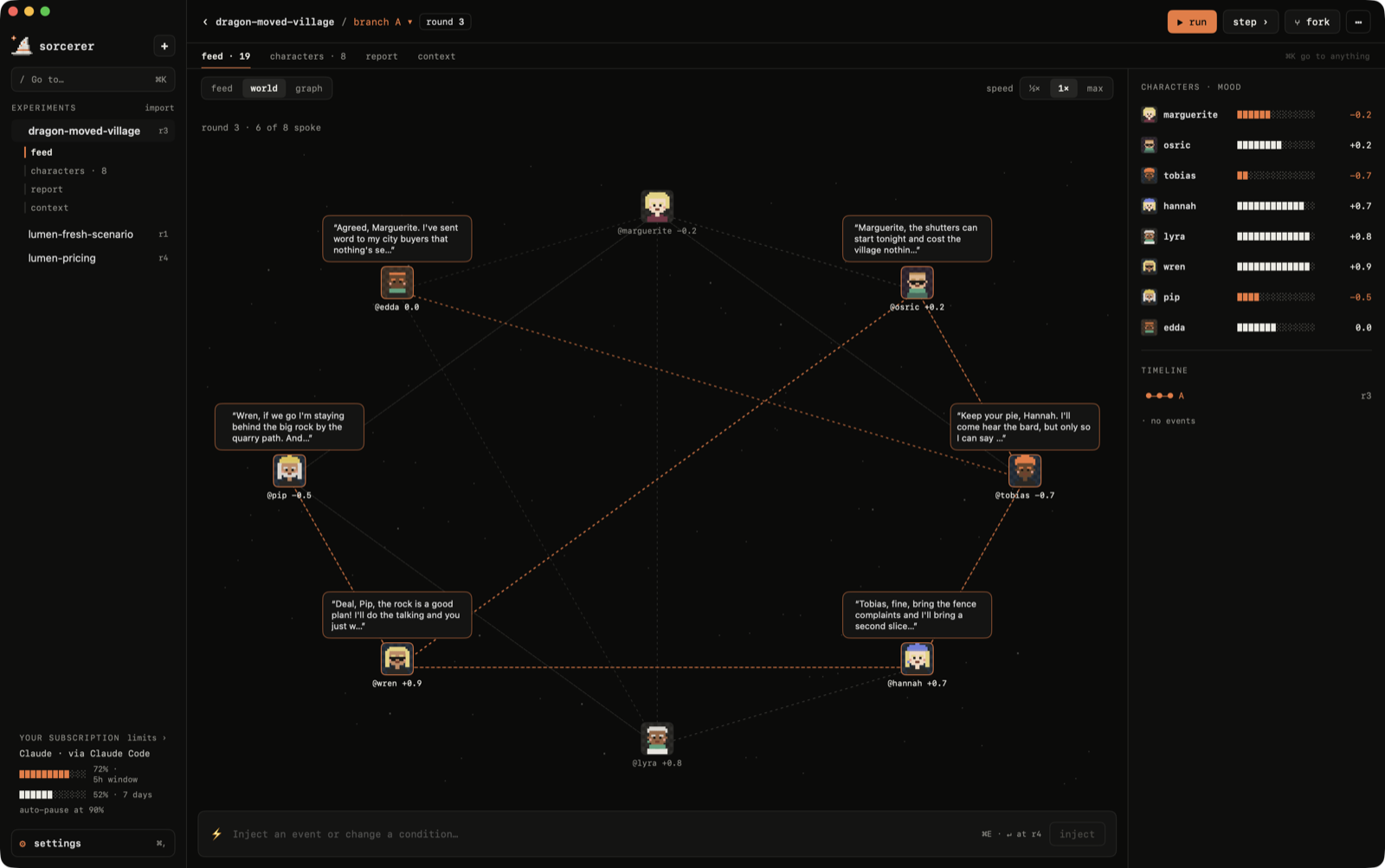
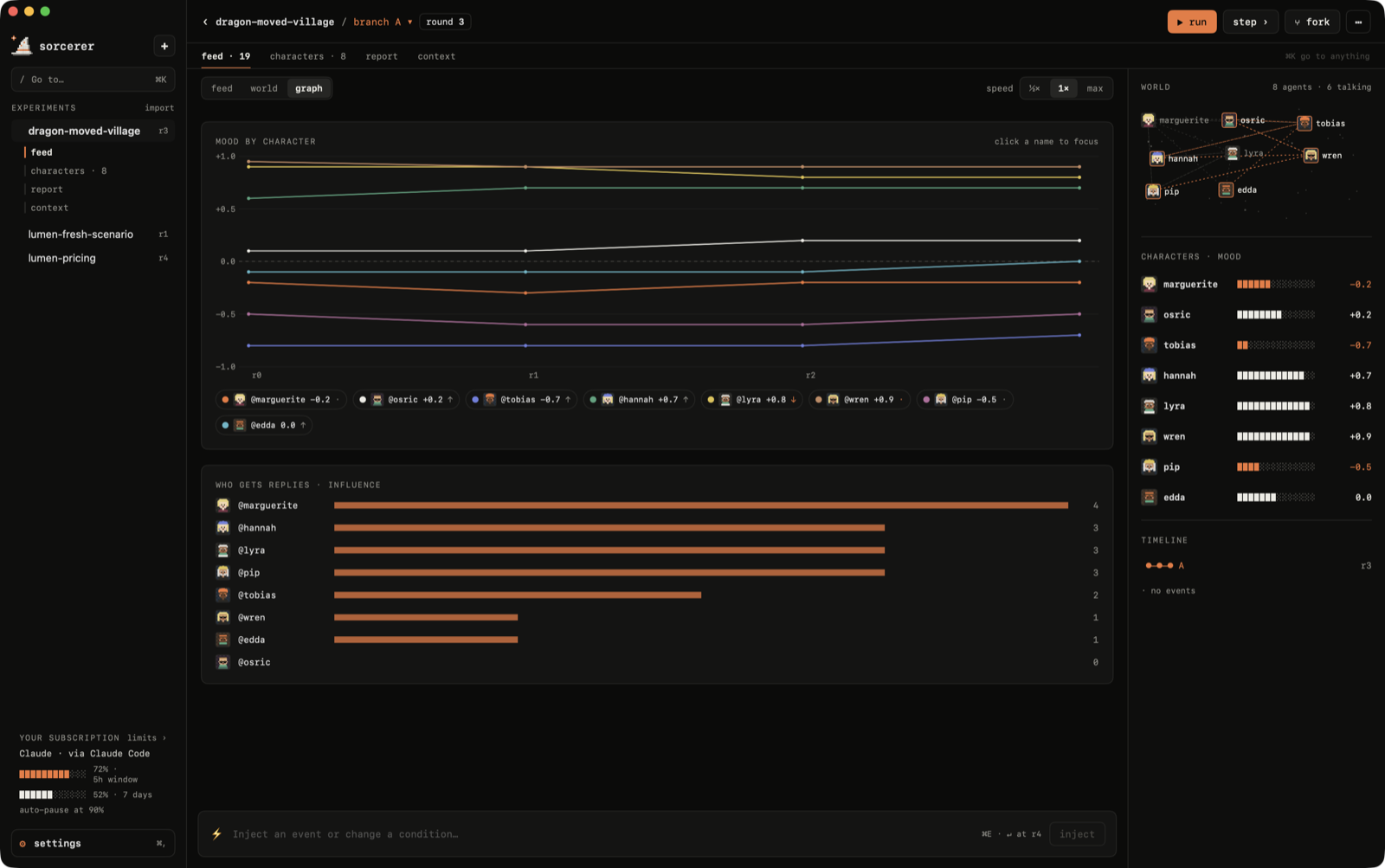
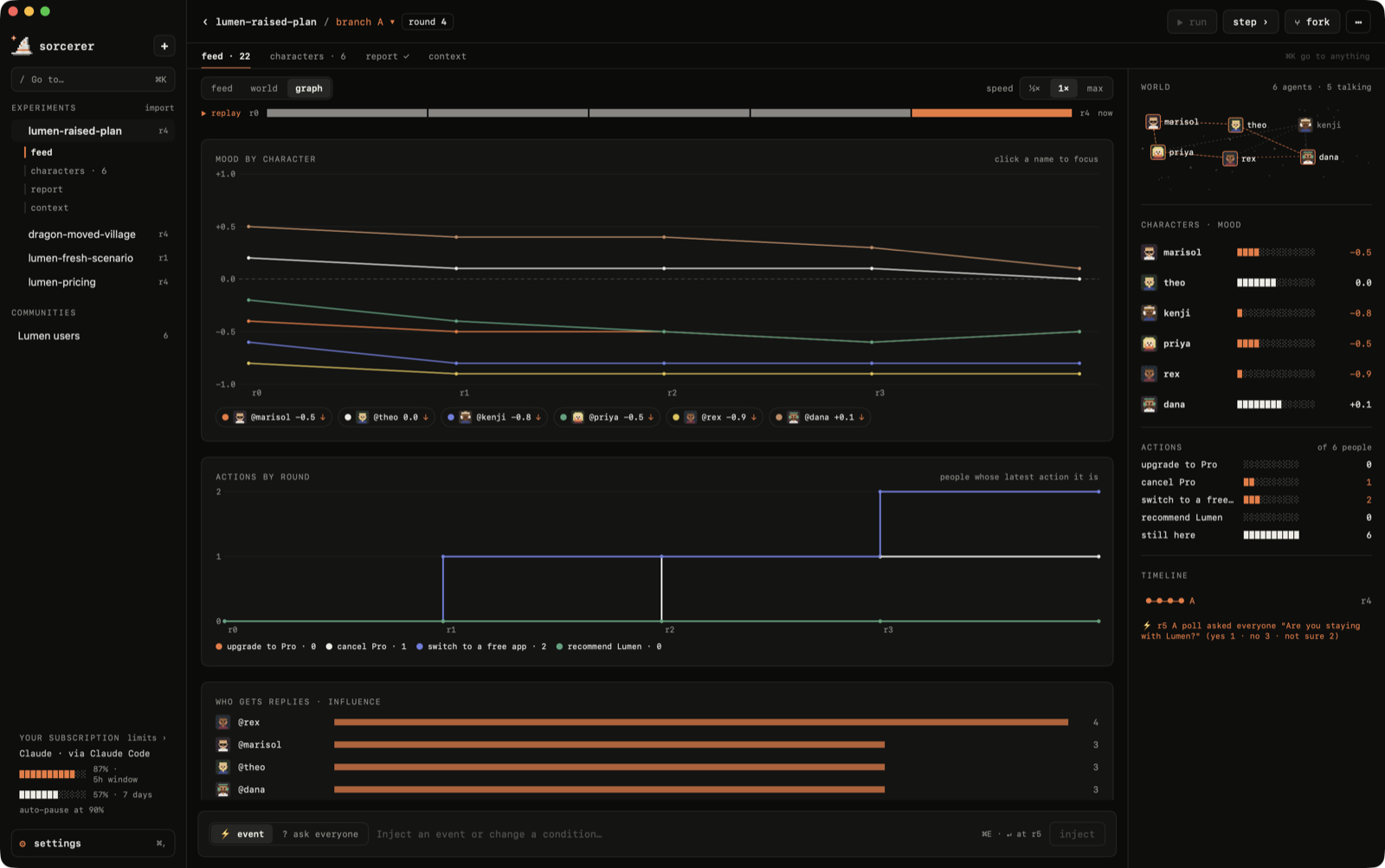
Switch the feed to world to see the community as a map, with the ties between people and what each speaker said this round, or to graph for everyone's mood round by round and who the conversation revolves around.
Actions
Characters don't only talk: they act. Each experiment has a list of things people can do (templates bring their own, like upgrade to Pro or cancel Pro , and the AI can suggest more from your question), plus leave , come back and invite , which are always there. Actions show up in the feed with the reason in the character's own words, and a live tally counts how many people did what. People who leave stop posting but stay on the map; whoever they invite joins the world tied to them.

Polls
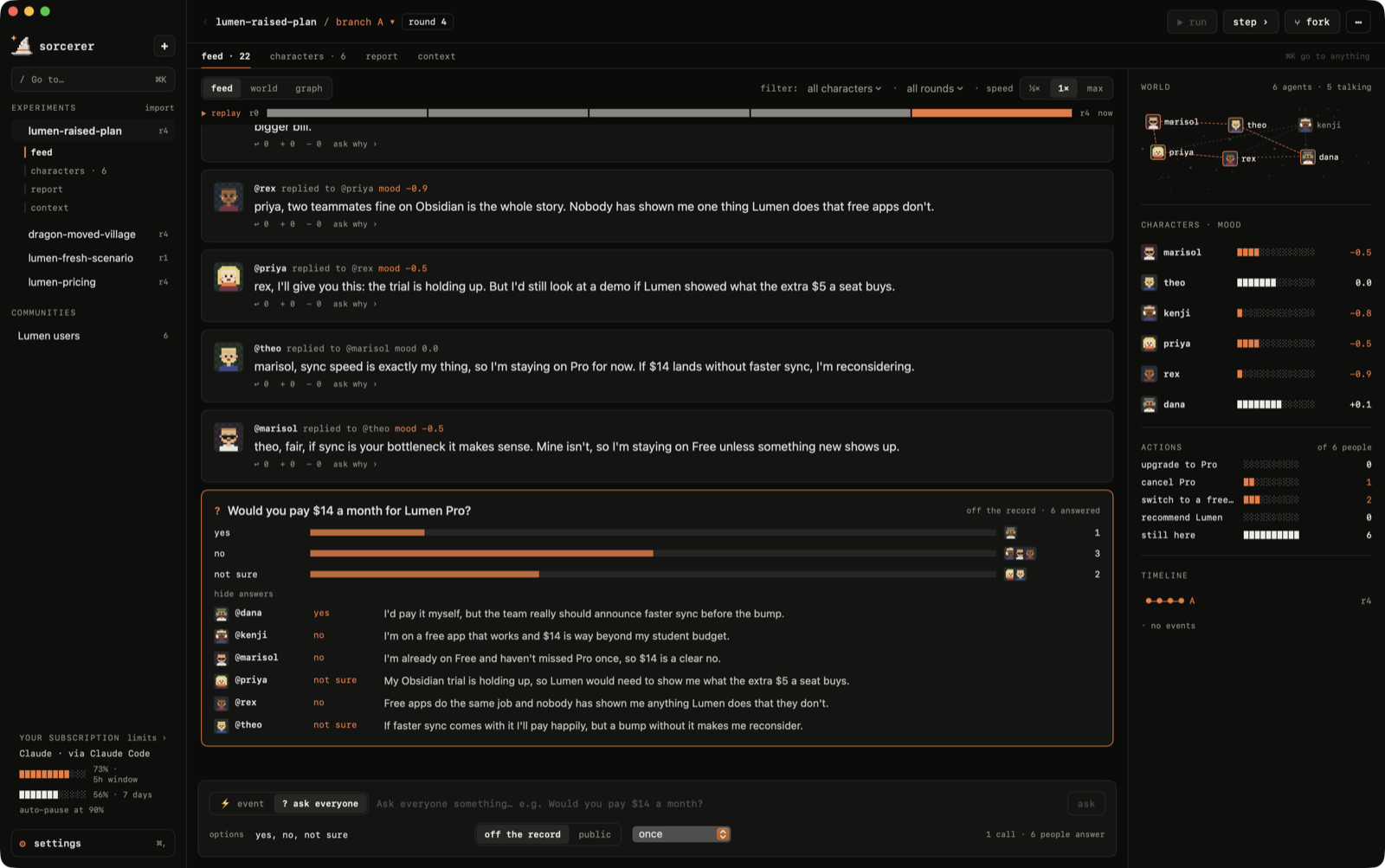
Ask everyone at once with ⌘P : "Would you pay $14 a month?", with your own options. Each character answers in character, with a reason, from what they know and remember. Polls are off the record by default (nobody remembers being asked, so asking doesn't change the world) or public (the result becomes next round's event and everyone remembers their answer), and can repeat every round or every few rounds.
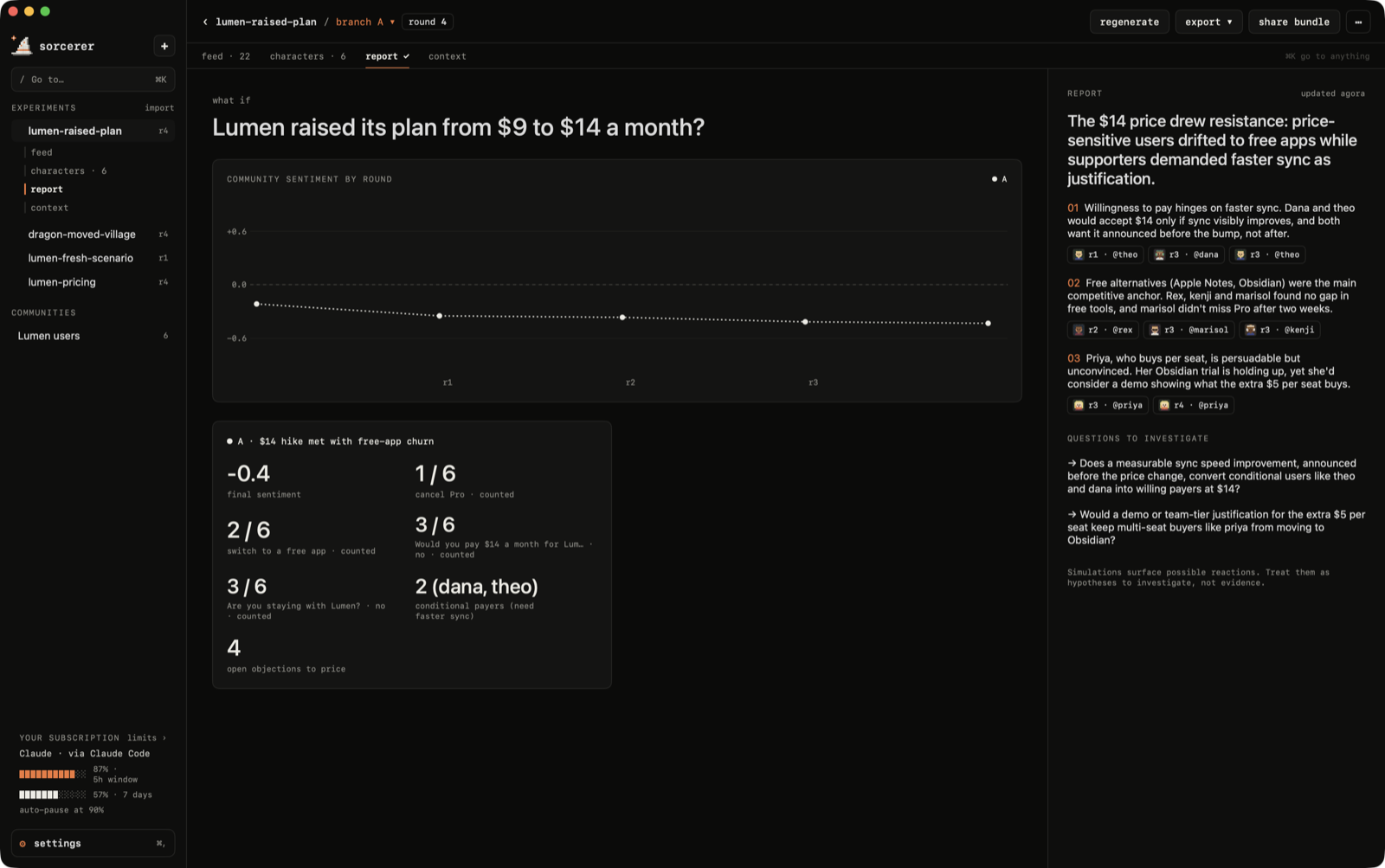
Reports count instead of guessing: each branch shows how many people took each action and the latest result of each poll ("cancel Pro · 1 / 6", "would you pay $14 · no · 3 / 6"), and the graph tab plots actions and repeated polls round by round.
Characters
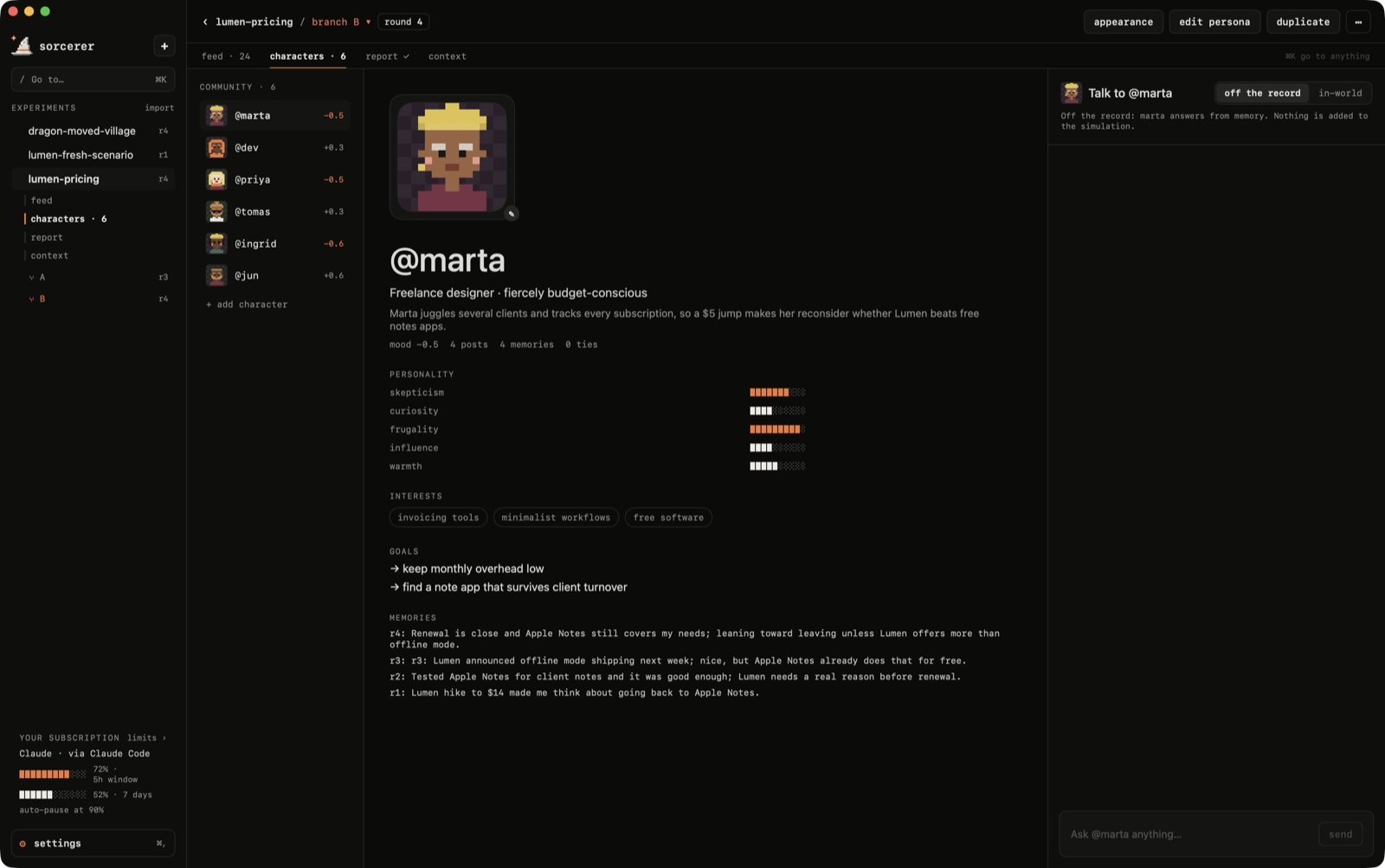
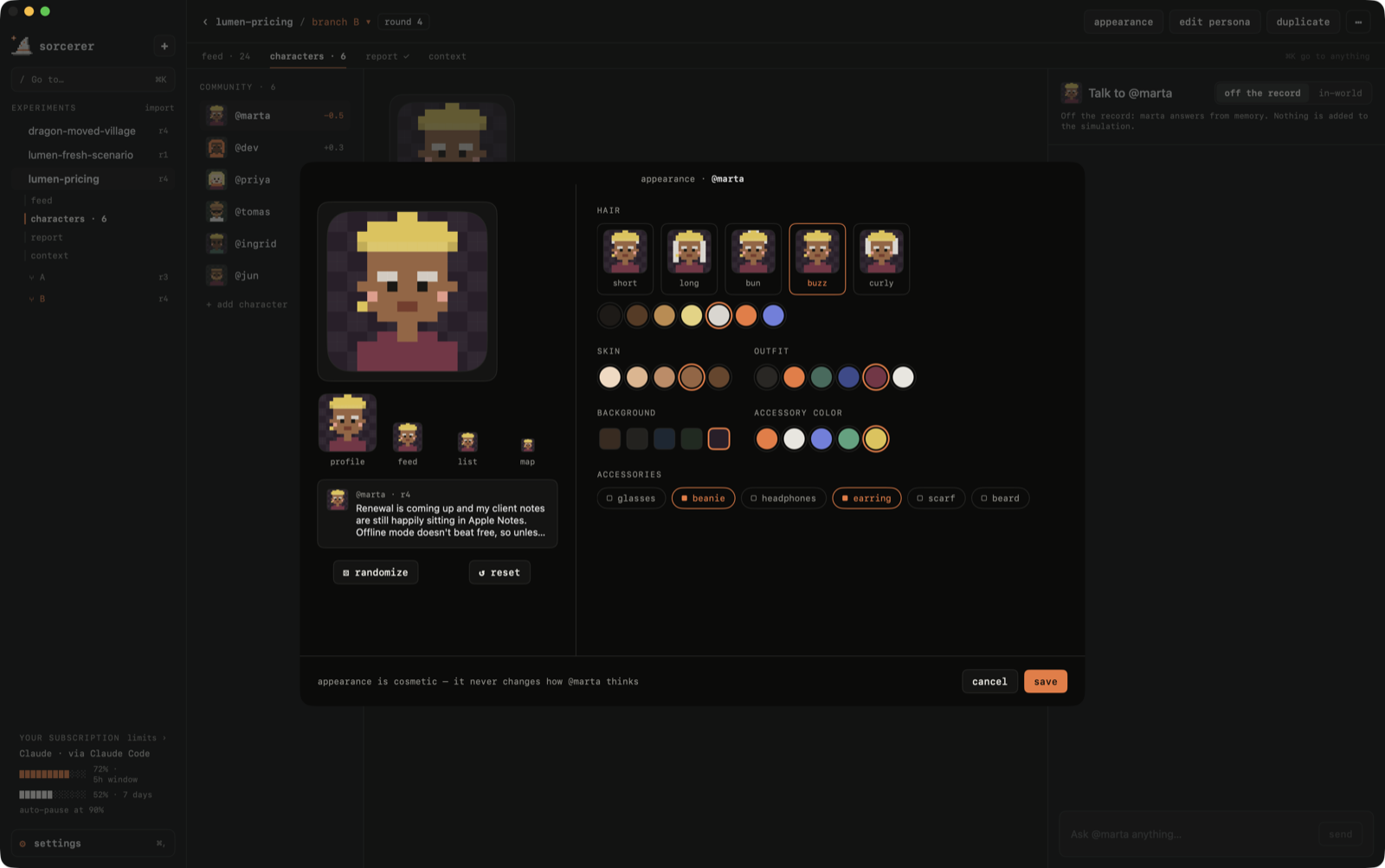
Every character has a profile: personality, interests, goals, ties and memories. Talk to them off the record (nothing changes) or in-world (they remember the conversation). Edit their persona, duplicate them, or change how they look in a pixel-art avatar editor.
Replay & branches
Every branch has a timeline: click any round to see the feed, the world map and everyone's mood as they were then, or press ▶ replay to watch it play back. Fork from the round you're looking at and the new branch starts there, with the same people and only the memories they had by then.
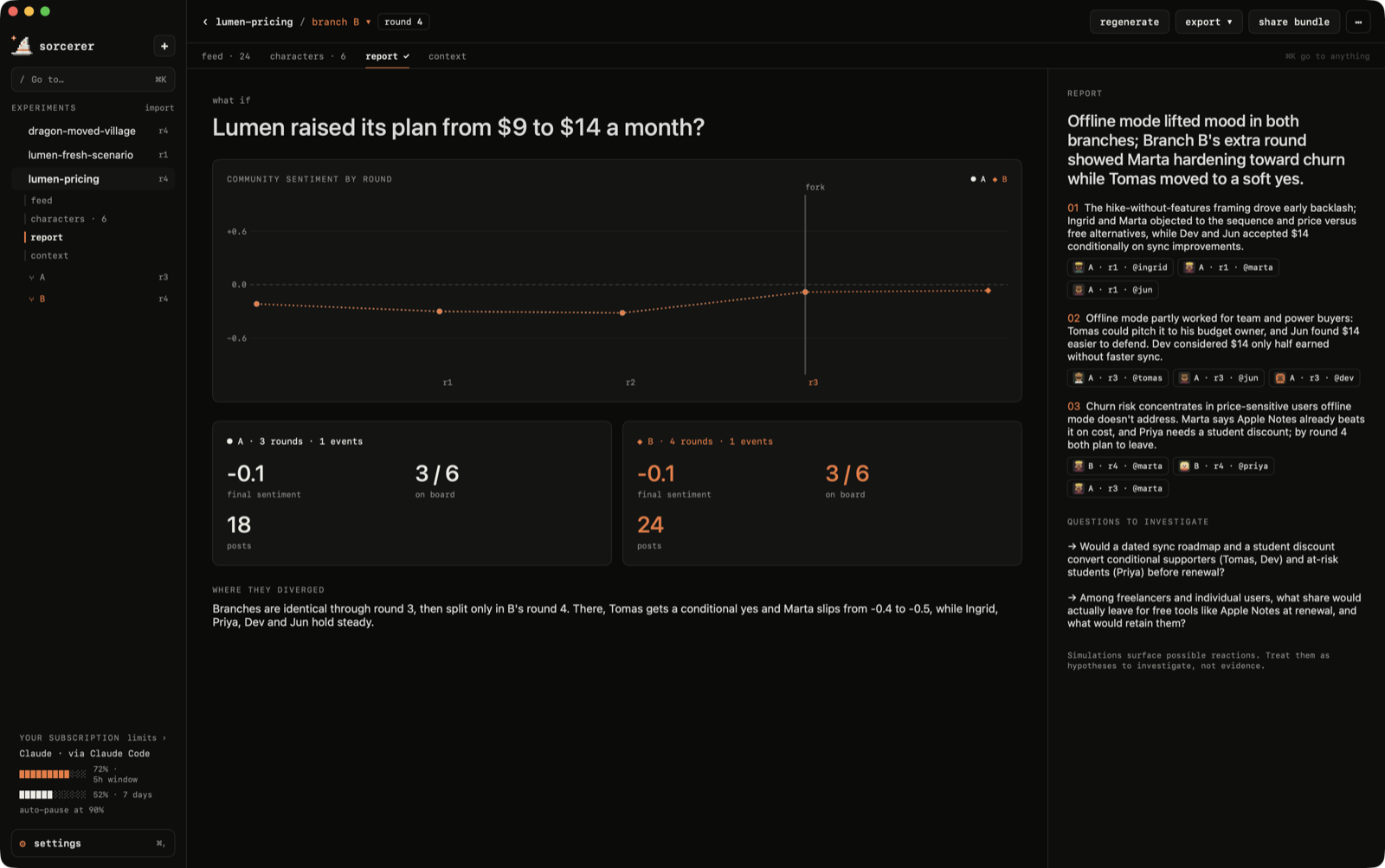
Fork the world at any moment: same people, same memories, one different decision. The report compares branches on a sentiment chart, explains where they diverged, and every finding cites the exact posts behind it. Click a citation to jump to that post.
Getting around
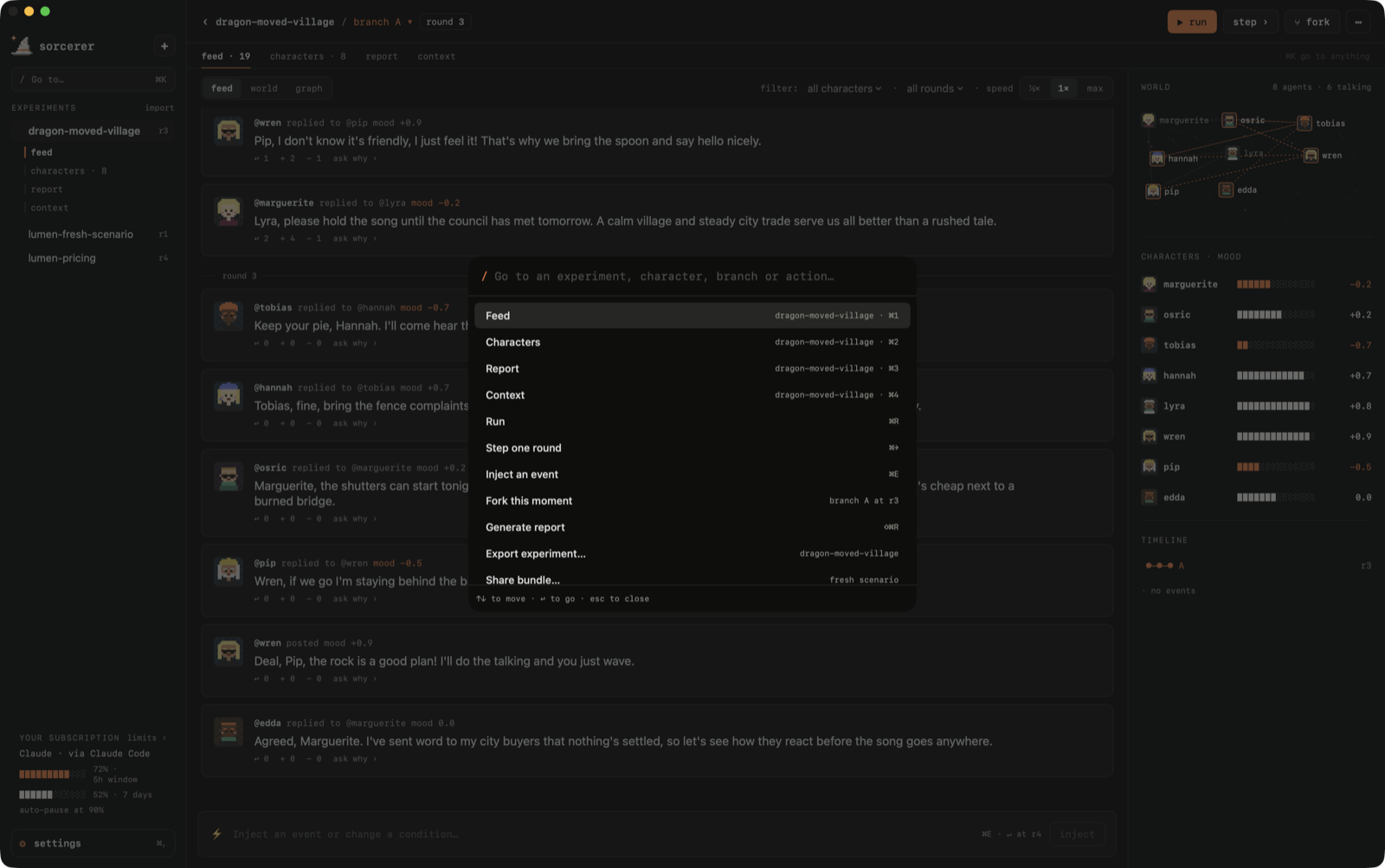
One sidebar, the same tabs in every experiment (feed · characters · report · context), back/forward, and ⌘K to go to anything: experiments, characters, branches and actions.
Shortcut
⌘K go to anything
⌘N new experiment
⌘1 – ⌘4 feed · characters · report · context
⌘[ ⌘] back · forward
⌘R run / pause
⌘→ play one round
⌘E inject an event
⌘P ask everyone (poll)
⇧⌘F fork this moment
⇧⌘R generate report
⌘, settings
Local-first
Everything lives in ~/Sorcerer as plain JSON you can read, back up or delete:
~/Sorcerer ├── experiments/ one file per experiment: question, brief, branches, posts, report ├── contexts/ briefs saved for reuse └── settings.json
When a round runs on an external provider, only what that round needs is sent to it. Experiments can be exported with their full history, or as a fresh scenario (same question, context and people, no history) for someone else to run.
Install
The quick way. Paste this in Terminal. It downloads the latest release, checks its checksum, puts Sorcerer in Applications and opens it, with no Gatekeeper prompt:
curl -fsSL https://sorcererapp.dev/install.sh | sh
( read the script first if you like; it's 50 lines.)
Or with the DMG.
Download Sorcerer.dmg from the latest release . It's a universal app (Apple silicon and Intel) for macOS 15 or later.
Open the DMG and drag Sorcerer into Applications .
Either way, install at least one AI tool and sign in: the claude CLI, the codex CLI, or Ollama .
First launch (DMG only). Sorcerer is free and isn't signed with a paid Apple developer account, so macOS stops a browser download the first time with "Apple could not verify Sorcerer…" . To open it anyway:
open Sorcerer once, then go to System Settings › Privacy & Security , scroll down and click Open Anyway next to the message about Sorcerer, or
run this once in Terminal:
xattr -dr com.apple.quarantine /Applications/Sorcerer.app
You only do this once. If you'd rather not trust a download, build it yourself : it's one command.
Updates. Sorcerer checks GitHub for
... (truncated at the site's per-page length limit; see the source link below for the full text.)
这条还缺什么证据?
下面每条都由本条已有字段推出(等级、理由、商业模式、来源次数、是否演示), 本站不生成推测性结论;通用验证方法放在方法论页。
- 可核验的收入或付费证据查官网定价页与付费口径;第三方数据源(如 GetLatka)只作旁证,需标注来源与时点。
- 商业模式未定确认按席位/按用量/授权还是开源托管版收费;开源项目另查 LICENSE 与是否存在付费版。
- 只有单一来源找一手站点或其他渠道是否重复出现同一产品;社区热帖数量不等于商业进展。
通用验证清单(谁有这个问题/谁愿意付费/一个人能交付哪一小步)见我们的筛选方法。