我们发现了什么
让AI智能体操控真实的iPhone。
- 来源:GitHub(发现于 2026-11-06)
- 证据等级:C · 存在定价或订阅线索;有收费设计不等于已有收入。
- 商业模式:待核验
- 主题:独立产品
- 初筛评分:19.2/100 · 收录 1 次
证据,比故事更重要。
规则清洗与初筛,未经人工商业核验。原文语境、实际客户和付费情况仍需自行验证。
引用与数字披露
来源类型(原作者自述/第三方测算/媒体转引)需采集端标注,本版尚未落字段。
- 作者
- 未标注
- 抓取日期
- 来源类型
- 未标注
- 币种
- 未标注
- 口径
- 未标注
- 披露主体
- 未标注
- 披露日期
- 未标注
中文辅助译文(全文)

<h1 align="center">Poki 会像你一样使用你的 iPhone</h1>
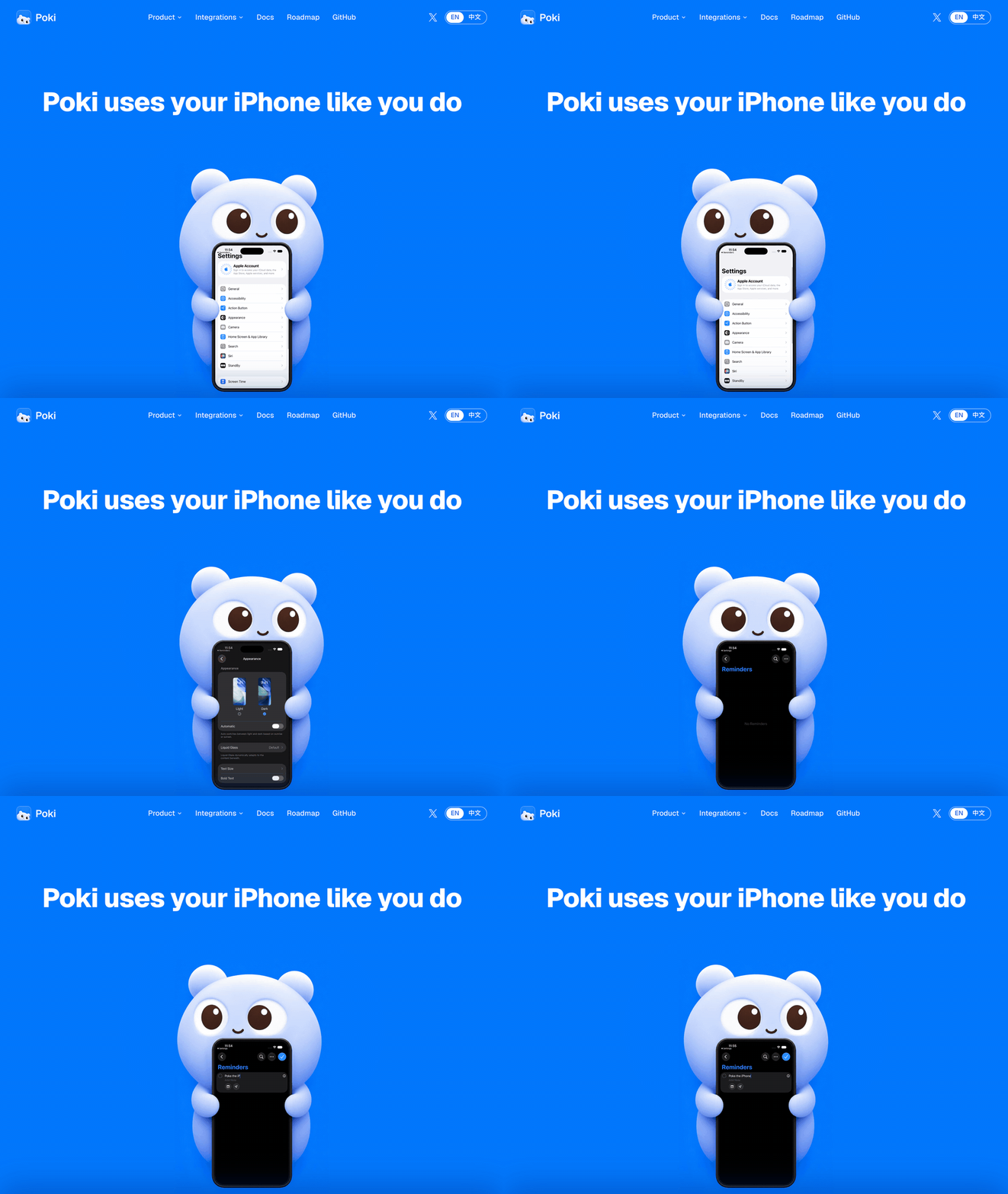 图注:Poki 网站主页动画。
英文 | 简体中文 | 繁体中文 | 日语 | 韩语 | 西班牙语
<!
-- badges:start -->




徽章还显示 GitHub 星标、派生仓库、问题及最新发行版信息。* <!-- badges:end -->
快速开始
让你的智能体安装它。 将以下内容复制给你的智能体:
遵循其根目录中的 AGENTS.md 安装 https://github.com/JosssphZhou/poki,包括 MCP skill,并在任何需要我操作时停止。Poki MCP。 已经在使用 Claude Code、Codex 或其他 MCP 客户端?连接 Poki MCP,并使用你自己的订阅。无需额外的模型账户。
启动服务器并使其持续运行:
git clone https://github.com/JosssphZhou/poki.git
cd poki
./bin/setup
npm start
需要 macOS 15 或更高版本、完整版 Xcode、Rust、Node.js 24+ 和 ffmpeg。./bin/setup 会检查缺失的依赖项。初次构建需要几分钟。
预构建的 macOS arm64 软件包
从发布页下载 poki-v0.1.0-macos-arm64.tar.gz 并运行:
tar -xzf poki-v0.1.0-macos-arm64.tar.gz
cd poki-v0.1.0
npm ci --no-audit --no-fund
npm start
该软件包包含原生桥接和 idevice 工具。你不需要 Rust 或 ./bin/setup。你仍然需要运行在 Apple Silicon 上的 macOS、完整版 Xcode、Node.js 24+、Python 3 和 ffmpeg。按照下文说明注册你的 MCP 客户端并安装可选的 Agent。
在另一个终端中,从同一目录注册 MCP 服务器:
claude mcp add --scope user poki-mcp -- node "$PWD/src/stdio.mjs" # Claude Code
codex mcp add poki-mcp -- node "$PWD/src/stdio.mjs" # Codex
Poki Agent。 如需使用 Poki 的独立终端智能体或消息渠道,请保持 npm start 运行,并在同一目录中打开另一个终端。安装该 Agent,将其命令添加到此终端的路径中,然后登录:
npm ci --prefix agent
export PATH="$PWD/bin:$PATH"
poki login
poki status
使用实体 iPhone 时,请先通过 USB 将其与你的 Mac 配对。请参阅实体 iPhone 设置。
尝试一个任务
使用 Poki Agent 时,会自动选中一台已连接的 iPhone。连接多台设备时,添加 --device '<device UUID>'。
node bin/call.mjs list_devices # 查找你的设备 UUID
poki "在 Chrome 中搜索 esp32 并总结最靠前的结果"
注意: Poki 会控制你的实体 iPhone。如果你让它发送消息或进行付款,它就会照做。屏幕内容会发送到你配置的模型服务。
使用越多,速度越快:Poki Agent 会记住过去的任务,再次执行时运行得更快。
渠道: 配置好获得授权的渠道后,使用 poki imessage 或 poki telegram 启动它。有关设置,请参阅 Poki Agent。
MCP 客户端: Claude Code、Codex,以及任何支持 mcpServers JSON 的客户端。
实体 iPhone 支持目前仅在使用中文界面的 iPhone 上得到验证。实体设备仅支持竖屏方向。应用容器导出不可用,且无法直接链接到 Settings 子页面。请参阅验证与已知限制。
文档
| 主题 | 文档 |
|---|---|
| 安装、其他 MCP 客户端和故障排除 | 安装指南 |
| Poki Agent、模型、iMessage 和 Telegram | 运行 Poki Agent |
| MCP 工具参考 | 工具行为 |
| 环境变量和会话 | 配置 |
| USB 配对、开发者模式和 Wi-Fi | 实体 iPhone 设置 |
| 测试结果、已知限制和免责声明 | 验证 |
| 桥接架构 | 原生桥接 和模拟器适配器 |
| 路线图 | poki.bot |
路线图
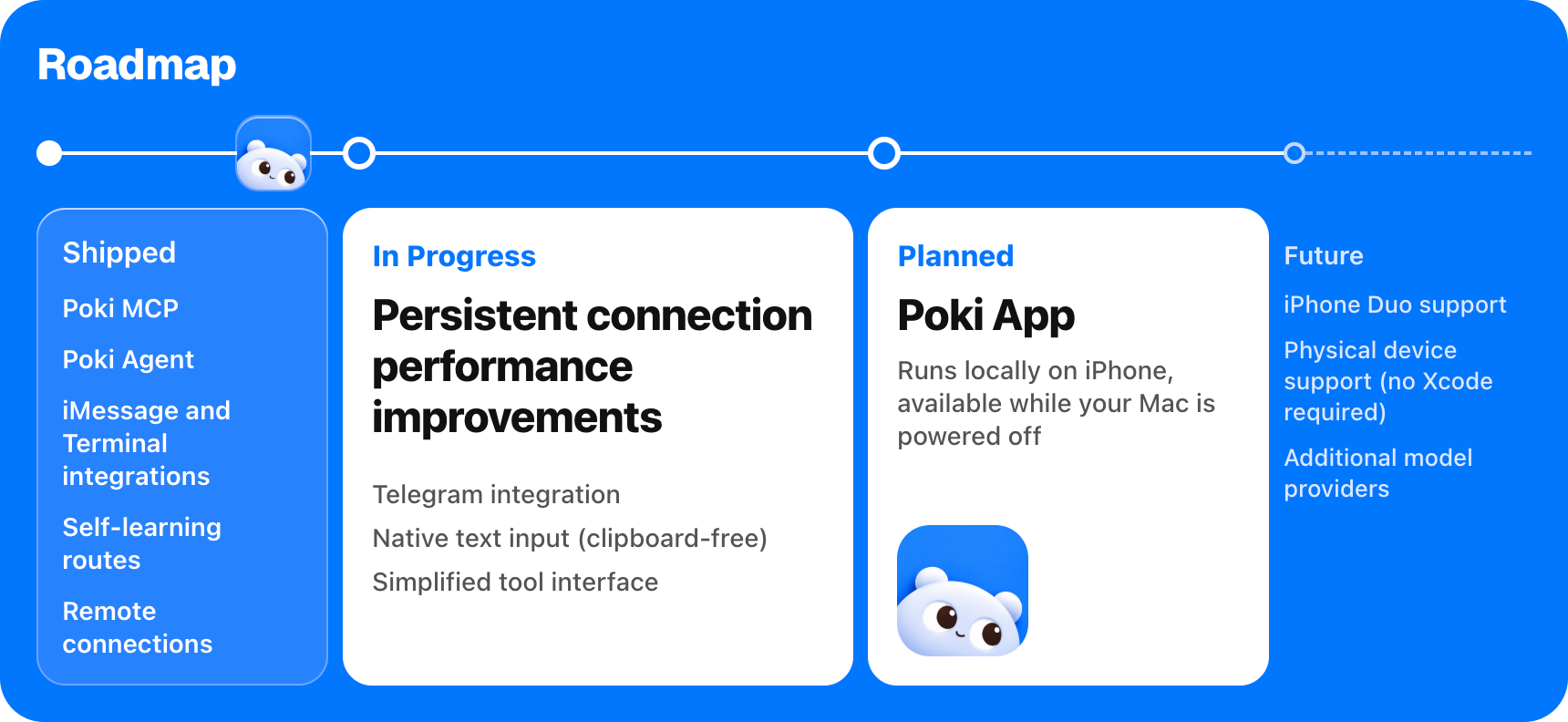 图注:Poki 路线图。已发布:Poki MCP、Poki Agent、iMessage 和 Terminal 渠道、自学习路径。下一阶段:无需共享 Wi-Fi、Telegram、无需使用剪贴板即可进行原生文本输入、更快的持久连接、简化的工具接口。随后:Poki App,即使你的 Mac 关闭,也能在你的 iPhone 上运行。后续:支持 iPhone Duo、无需安装 Xcode 即可使用实体 iPhone、支持更多模型提供商。
Star History
贡献者
免责声明
Poki 是一个独立的开源项目。Poki 与 Apple、OpenAI,以及 Poki 所操作的任何应用或网站的开发者均无关联,也未获得任何一方的认可。iPhone 是 Apple Inc. 的商标。
对第三方应用和网站进行自动化操作可能违反其服务条款。请自行决定是否将 Poki 与特定服务搭配使用。对于它在你的设备和账户上所做的一切,你应承担责任,包括它发送的消息、作出的更改以及由此导致的任何账户限制。
Poki 按“现状”提供,不附带任何担保,具体如 AGPL-3.0 许可证所规定。
许可证
Poki 采用 AGPL-3.0-only 许可证 开源。
版权所有 (c) 2026 Joseph Zhou 及贡献者。开源依赖项保留各自的许可证;请参阅 THIRDPARTYNOTICES.md。如需参与贡献,请参阅 CONTRIBUTING.md。
致谢
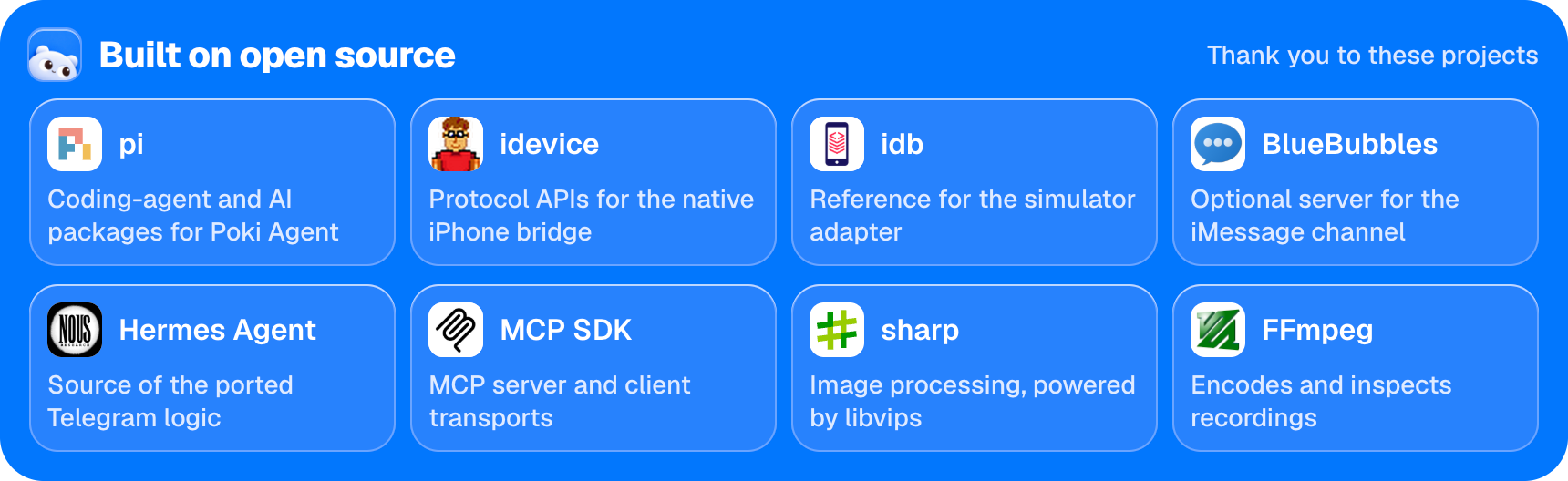 图注:基于以下开源项目构建:pi、idevice、idb、BlueBubbles、Hermes Agent、MCP SDK、sharp 和 FFmpeg。
<sub>开源项目致谢:pi | idevice | idb | BlueBubbles | Hermes Agent | MCP SDK | sharp | FFmpeg</sub>
译文由上游机器翻译生成,可能有误;判断请以英文原文为准。
英文原文(来源本站未改写)
<h1 align="center">Poki uses your iPhone like you do</h1>
English | 简体中文 | 繁體中文 | 日本語 | 한국어 | Español
<!
-- badges:start -->
-- badges:end -->
Quick start
Let your agent install it. Copy this to your agent:
Install https://github.com/JosssphZhou/poki following its root AGENTS.md, including the MCP skill, and stop whenever you need me to act.Poki MCP. Already using Claude Code, Codex, or another MCP client? Connect Poki MCP and use your own subscription. No extra model account needed.
Start the server and keep it running:
git clone https://github.com/JosssphZhou/poki.git
cd poki
./bin/setup
npm start
Requires macOS 15 or later, full Xcode, Rust, Node.js 24+, and ffmpeg. ./bin/setup checks for missing dependencies. The initial build takes a few minutes.
Prebuilt macOS arm64 package
Download poki-v0.1.0-macos-arm64.tar.gz from the release and run:
tar -xzf poki-v0.1.0-macos-arm64.tar.gz
cd poki-v0.1.0
npm ci --no-audit --no-fund
npm start
The package includes the native bridge and idevice tools. You do not need Rust or ./bin/setup. You still need macOS on Apple Silicon, full Xcode, Node.js 24+, Python 3, and ffmpeg. Register your MCP client and install the optional Agent as described below.
In another terminal, from the same directory, register the MCP server:
claude mcp add --scope user poki-mcp -- node "$PWD/src/stdio.mjs"   # Claude Code
codex mcp add poki-mcp -- node "$PWD/src/stdio.mjs"                 # Codex
Poki Agent. For Poki's standalone terminal agent or messaging channels, keep npm start running and open another terminal in the same directory. Install the agent, add its command to this terminal's path, and sign in:
npm ci --prefix agent
export PATH="$PWD/bin:$PATH"
poki login
poki status
For a physical iPhone, pair it with your Mac over USB first. See Physical iPhone setup.
Try a task
With Poki Agent, one connected iPhone is selected automatically. With multiple devices, add --device '<device UUID>'.
node bin/call.mjs list_devices   # Find your device UUID
poki "Search esp32 in Chrome and summarize the top result"
Note: Poki controls your real iPhone. If you ask it to send messages or make payments, it will. Screen contents are sent to your configured model service.
Gets faster with use: Poki Agent remembers past tasks and runs them faster on repeat.
Channels: After configuring an authorized channel, start it with poki imessage or poki telegram. See Poki Agent for setup.
MCP clients: Claude Code, Codex, and any client supporting mcpServers JSON.
Physical iPhone support has been verified only on iPhones using the Chinese interface. Physical devices support portrait orientation only. App container export and direct links to Settings subpages are unavailable. See verification and known limits.
Docs
| Topic | Read |
|---|---|
| Installation, other MCP clients, and troubleshooting | Install guide |
| Poki Agent, models, iMessage, and Telegram | Run Poki Agent |
| MCP tool reference | Tool behavior |
| Environment variables and sessions | Configuration |
| USB pairing, Developer Mode, and Wi-Fi | Physical iPhone setup |
| Test results, known limits, and disclaimers | Verification |
| Bridge architecture | Native bridge and simulator adapter |
| Roadmap | poki.bot |
Roadmap
Star History
Contributors
Disclaimer
Poki is an independent open source project. It is not affiliated with, or endorsed by, Apple, OpenAI, or the makers of any app or website it operates. iPhone is a trademark of Apple Inc.
Automating third-party apps and websites may violate their terms of service. Decide for yourself whether to use Poki with a given service. You are responsible for what it does on your device and accounts, including messages it sends, changes it makes, and any account restrictions that result.
Poki is provided "as is", without warranty, as set out in the AGPL-3.0 license.
License
Poki is open source under the AGPL-3.0-only license.
Copyright (c) 2026 Joseph Zhou and contributors. Open-source dependencies retain their respective licenses; see THIRDPARTYNOTICES.md. To contribute, see CONTRIBUTING.md.
Acknowledgments
<sub>Open source acknowledgments: pi | idevice | idb | BlueBubbles | Hermes Agent | MCP SDK | sharp | FFmpeg</sub>
这条还缺什么证据?
下面每条都由本条已有字段推出(等级、理由、商业模式、来源次数、是否演示), 本站不生成推测性结论;通用验证方法放在方法论页。
- 可核验的收入或付费证据查官网定价页与付费口径;第三方数据源(如 GetLatka)只作旁证,需标注来源与时点。
- 商业模式未定确认按席位/按用量/授权还是开源托管版收费;开源项目另查 LICENSE 与是否存在付费版。
- 只有单一来源找一手站点或其他渠道是否重复出现同一产品;社区热帖数量不等于商业进展。
通用验证清单(谁有这个问题/谁愿意付费/一个人能交付哪一小步)见我们的筛选方法。