我们发现了什么
# Agent 一个运行在你 Android 手机上的 AI 代理。- Claude 订阅登录。 Anthropic 的条款不允许第三方应用提供 claude.ai 登录或在未经 Anthropic 批准的情况下使用订阅额度。
- 来源:GitHub(发现于 2026-10-06)
- 证据等级:D · 发现产品或需求信号,暂未获得可核验的商业证据。
- 商业模式:待核验
- 主题:AI Agent
- 初筛评分:15/100 · 收录 1 次
证据,比故事更重要。
规则清洗与初筛,未经人工商业核验。原文语境、实际客户和付费情况仍需自行验证。
引用与数字披露
来源类型(原作者自述/第三方测算/媒体转引)需采集端标注,本版尚未落字段。
- 作者
- 未标注
- 抓取日期
- 来源类型
- 未标注
- 币种
- 未标注
- 口径
- 未标注
- 披露主体
- 未标注
- 披露日期
- 未标注
上下文核对:来源原文含限定词one-time一次性,中文摘要未逐字保留 —— 引用或跨期比较前请回原文核对,别把估算读成已实现。
中文辅助译文(全文)
Agent
一个运行在你 Android 手机上的 AI 代理。模型由你提供。
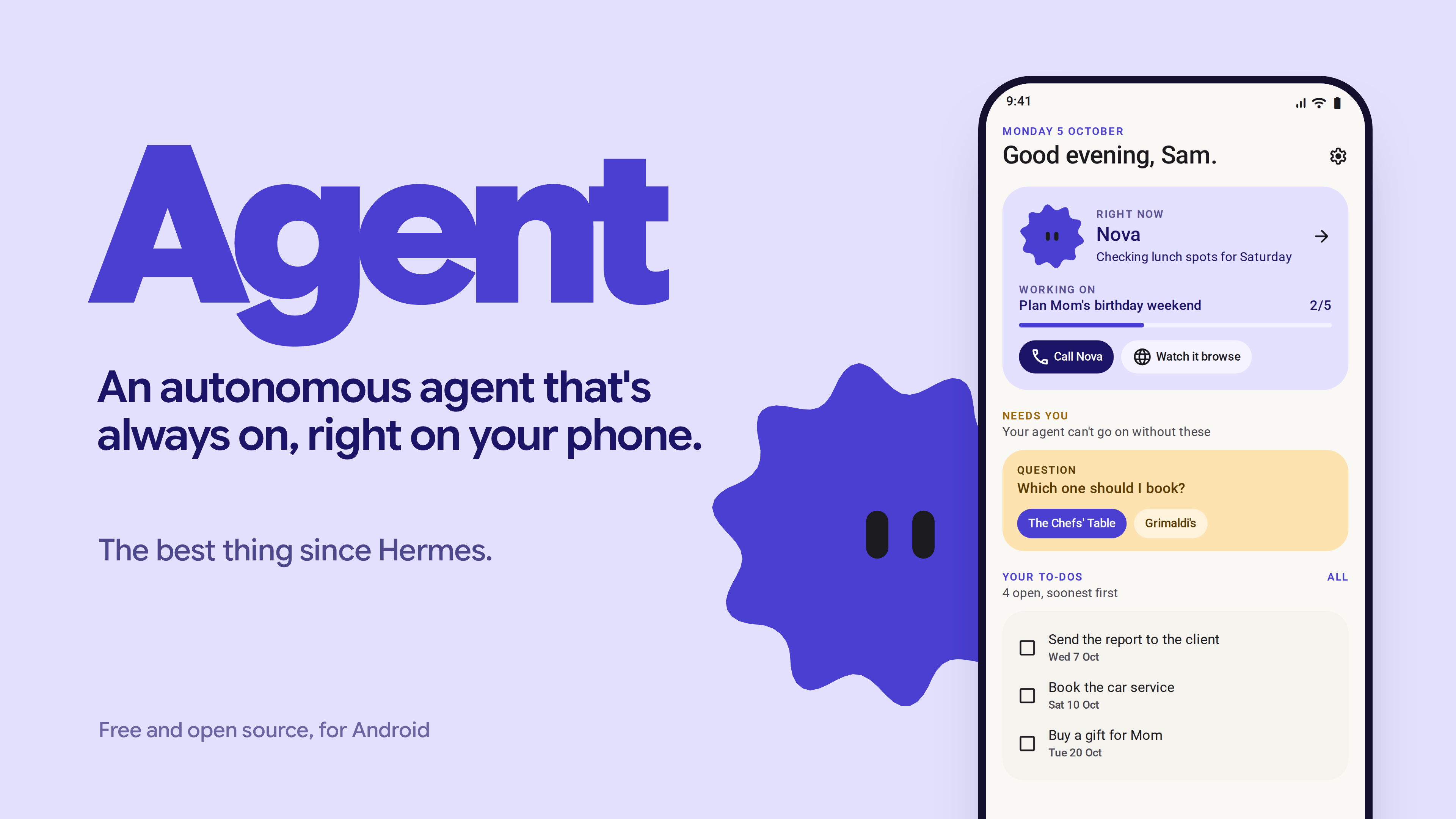 图注:Agent 应用的主视觉图,展示应用品牌与图标。
Agent 是开源且免费的。它不是一个产品:没有账号、没有我们的服务器、也不需要付费。目前面向技术用户。
使用风险自负。 它是一个带有浏览器并能访问你所连接内容的代理,会犯错。安装前请阅读 Risks。
功能
- 后台浏览器。 它自带的浏览器以前台服务运行,因此在你使用其他应用或屏幕关闭时仍能继续工作。验证码和登录会交给你处理,然后它会继续运行。浏览器配置文件可隔离账户(个人、工作)。
- 记忆作为维基。 每个人、地点或项目一页,页面之间用
[[links]]链接,每条记录都带有标签。你可以阅读、编辑、置顶或删除任何内容。 - 任务与目标。 你的待办与代理自身的任务相互独立。
- 例程。 可按计划、新邮件触发,或由你选择的应用发出的通知触发。
- 应用连接 通过 Composio 与你自己的 Composio key 实现:Gmail、Calendar、Drive、Slack 以及 250+ 更多应用。
- 通知。 仅读取你允许的应用通知,并能获取一次性验证码以完成登录。
- 语音。 语音备注,如果你添加 Gemini key,可在 Gemini Live 上进行实时语音通话。
- 聊天中的照片和文档: PDF(包括扫描件)、Word 文件、文本和 CSV。扫描件使用设备端 OCR(ML Kit)读取。
- 辅助代理 用于并行任务。点击即可查看其正在执行的操作。
- 运行代码 在手机上,使用捆绑的 Node 运行时。
- 个性化。 选择代理的名字、头像和颜色。
- 夜间运行。 在 02:00,仅在充电且联网时,它会整理记忆、根据当天的聊天撰写运行记录,并为你准备一个早晨屏幕。
任何涉及花钱或代你发送内容的操作都会等你长按确认按钮后才执行。手机权限默认关闭,直到代理需要时才开启。
要求
- Android 10 或更新版本(API 29+),arm64 手机。
- APK 约需 250 MB(已捆绑 Node 运行时),再加上其数据所需空间。
- 模型:API key 或以下受支持的订阅之一。
安装
- 从 Releases 下载最新的 APK。
- 在手机上打开它。Android 会询问是否允许从浏览器或文件应用安装;为此安装允许即可。
- 打开 Agent。在三星、小米及类似手机上,进入 Settings > Apps > Agent > Battery,将其设置为 Unrestricted,否则例程和后台浏览会被杀死。
设置
引导流程会引导你完成。按顺序:
- 名字与样式。 为你的代理取名,选择颜色和头像。头像会成为应用的图标。
- 动力。 选择一项:
| 选项 | 你需要什么 | 备注 |
|---|---|---|
| API key | 来自 DeepSeek、OpenRouter、Gemini、Anthropic、OpenAI 或 OpenCode Zen/Go 的 key | 在应用自带的 Kotlin 代理循环上运行。设置最快。 |
| 任何 OpenAI 兼容端点 | Base URL、模型名称、key | 原则上适用于自托管服务器(llama.cpp、Ollama、vLLM)。尚未测试。 |
| ChatGPT 订阅 | 一个 ChatGPT 账号(测试中免费可用) | 通过捆绑的运行时在手机上运行 OpenAI Codex。在应用内登录。 |
| Claude 订阅 | Claude Pro 或 Max | 通过捆绑的运行时在手机上运行 Claude Code。请先阅读 Risks 部分。 |
key 通过校验后,你可以选择模型。可随时从聊天顶部的芯片切换模型。 3. 连接(可选)。 在 Connections 下粘贴你的 Composio API key,然后连接你需要的应用。代理也可以在需要时请求连接应用,登录会在应用内的浏览器中打开。 4. 语音(可选)。 Settings > Voice:添加 Google/Gemini、OpenAI 或 ElevenLabs key 以使用语音备注。Gemini key 还会开启实时通话。 5. 通知(可选)。 选择代理可读取通知的应用。在你设置之前,不会读取任何内容。
隐私
- key 使用
EncryptedSharedPreferences存储在手机上,由 Android Keystore 加密。 - 记忆、任务、例程和聊天存储在手机上(Room 数据库)。
- 流量离开手机时只会发往你的模型提供商、代理浏览的网站、Composio(如果添加了 key)以及你的语音提供商(如果添加了 key)。我们没有任何服务器。
风险
- 风险自负。 代理可以浏览、填写表单、读取你允许的通知,并在你连接的应用中执行操作。审批机制会保护支付和发送操作,但请检查你批准的内容。
- Claude 订阅登录。 Anthropic 的条款不允许第三方应用在未经 Anthropic 批准的情况下提供 claude.ai 登录或使用订阅额度。该选项存在是因为它可用,但使用它是你自己的决定,并需自担账号风险。在此处使用 Claude 的安全方式是 Anthropic API key。
- 旁加载。 它不在 Play Store 上,也未经 Google 审核。如果这对你很重要,请检查源码或自行构建。
- 电池。 后台浏览和例程会消耗电池。夜间例程仅在充电时运行。
- 早期软件。 主要在一台三星手机上测试。实时语音通话是最新的、测试最少的部分。
从源码构建
你需要 JDK 17、Android SDK(compileSdk 37),以及用于运行时包的 curl、ar、patchelf 和 Node/npm。
git clone https://github.com/Past-da-king/agent
cd [REPO_DIR]
# Downloads Termux's Node build, Codex and ripgrep and packs them as jniLibs + assets
# (git-ignored). Only needed for the subscription paths; API keys work without it.
./tools/build-runtime-pack.sh
./gradlew assembleDebug
adb install -r app/build/outputs/apk/debug/app-debug.apk测试:./gradlew testDebugUnitTest(单元测试以及浅色和深色模式下的 Robolectric/Roborazzi 截图)。
工作原理(简述)
- Kotlin + Jetpack Compose(Material 3 Expressive)、Room、WorkManager。
- API key 路径:Kotlin 中提供方无关的代理循环(Anthropic Messages 和 OpenAI 兼容聊天)。
- 订阅路径:Node 24(Termux 的 Android 构建版本)作为
lib*.so文件打包在 APK 内,因为 Android 只允许应用从其原生库目录执行文件。Claude Code(Agent SDK 0.2.112)和 Codex 在其上运行。应用自身的工具通过本地 MCP 服务器在127.0.0.1上以每个安装独立的 token 提供给它们。 - 浏览器:托管在前台服务中的 Android WebView。
许可证
MIT。参见 LICENSE。
译文由上游机器翻译生成,可能有误;判断请以英文原文为准。
英文原文(来源本站未改写)
Agent
One AI agent that lives on your Android phone. You bring the model.
Agent is open source and free. It is not a product: there is no account, no server of ours, and nothing to pay. It is aimed at technical people for now.
Use it at your own risk. It is an agent with a browser and access to whatever you connect, and it will make mistakes. Read Risks before you install.
What it does
- Background browser. Its own browser runs in a foreground service, so it keeps working while you use other apps or the screen is off.Captchas and sign-ins are handed to you, then it carries on.Browser profiles keep accounts apart (Personal, Work).
- Memory as a wiki. A page per person, place or project, with
[[links]]between pages and tags on every entry.
You can read, edit, pin or delete anything. - Tasks and goals. Your to-dos are kept separate from the agent's own tasks. - Routines. Run on a schedule, on a new email, or on a notification from an app you choose. - App connections through Composio with your own Composio key: Gmail, Calendar, Drive, Slack and 250+ more. - Notifications. Reads notifications only from the apps you allow, and can pick up one-time codes to finish a sign-in. - Voice. Voice notes, and live voice calls on Gemini Live if you add a Gemini key. - Photos and documents in chat: PDFs (including scans), Word files, text and CSV.
Scans are read with on-device OCR (ML Kit). - Helper agents for parallel jobs.Tap one to see what it is doing. - Runs code on the phone, using the bundled Node runtime. - Make it yours. Pick the agent's name, face and colour. - Overnight. At 02:00, only while charging and online, it tidies its memory, writes running notes from the day's chat and prepares a morning screen for you.
Anything that spends money or sends something on your behalf waits until you hold an approve button. Phone permissions are off until the agent needs one.
Requirements
- Android 10 or newer (API 29+), arm64 phone.
- About 250 MB for the APK (the Node runtime is bundled), plus room for its data.
- A model: an API key or one of the supported subscriptions (below).
Install
- Download the latest APK from Releases.
- Open it on your phone. Android will ask you to allow installs from your browser or files app; allow it for this install.
- Open Agent. On Samsung, Xiaomi and similar phones, go to Settings > Apps > Agent > Battery and set it to Unrestricted, or routines and background browsing will be killed.
Setup
Onboarding walks you through this. In order:
- Name and style. Name your agent, pick a colour and a face. The face becomes the app's icon.
- Power. Choose one:
| Option | What you need | Notes |
|---|---|---|
| API key | A key from DeepSeek, OpenRouter, Gemini, Anthropic, OpenAI or OpenCode Zen/Go | Runs on the app's own Kotlin agent loop. Fastest to set up. |
| Any OpenAI-compatible endpoint | Base URL, model name, key | Works for self-hosted servers in principle (llama.cpp, Ollama, vLLM). Not tested yet. |
| ChatGPT subscription | A ChatGPT account (free worked in testing) | Runs OpenAI Codex on the phone through the bundled runtime. Sign in in-app. |
| Claude subscription | Claude Pro or Max | Runs Claude Code on the phone through the bundled runtime. See the Risks section first. |
After a key is checked you can pick the model. Switch models any time from the chip at the top of the chat. 3. Connections (optional). Paste your Composio API key under Connections, then connect the apps you want. The agent can also ask to connect an app when it needs one, and the sign-in opens inside the app's browser. 4. Voice (optional). Settings > Voice: add a Google/Gemini, OpenAI or ElevenLabs key for spoken voice notes. A Gemini key also turns on live calls. 5. Notifications (optional). Choose which apps the agent may read notifications from. Nothing is read until you do.
Privacy
- Keys are stored on the phone with
EncryptedSharedPreferences, keyed by the Android Keystore. - Memory, tasks, routines and chat are stored on the phone (Room database).
- Traffic leaves the phone only to your model provider, the sites the agent browses, Composio (if you add a key) and your voice provider (if you add one). There is no server of ours.
Risks
- Your own risk. The agent can browse, fill in forms, read the notifications you allow and act in the apps you connect.Approvals guard payments and sends, but check what you approve.
- Claude subscription login. Anthropic's terms do not allow third-party apps to offer claude.ai login or use subscription limits without Anthropic's approval.The option is there because it works, but using it is your decision and your account's risk.An Anthropic API key is the safe way to use Claude here.
- Sideloaded. It is not on the Play Store and is not reviewed by Google.Check the source or build it yourself if that matters to you.
- Battery. Background browsing and routines use battery.
The overnight routine only runs while charging. - Early software. Tested mainly on one Samsung phone.Live voice calls are the newest and least tested part.
Build from source
You need JDK 17, the Android SDK (compileSdk 37), and for the runtime pack curl, ar, patchelf and Node/npm.
git clone https://github.com/Past-da-king/agent
cd [REPO_DIR]
# Downloads Termux's Node build, Codex and ripgrep and packs them as jniLibs + assets
# (git-ignored). Only needed for the subscription paths; API keys work without it.
./tools/build-runtime-pack.sh
./gradlew assembleDebug
adb install -r app/build/outputs/apk/debug/app-debug.apk
Tests: ./gradlew testDebugUnitTest (unit tests plus Robolectric/Roborazzi screenshots in light and dark).
How it works (short)
- Kotlin + Jetpack Compose (Material 3 Expressive), Room, WorkManager.
- API-key path: a provider-neutral agent loop in Kotlin (Anthropic Messages and OpenAI-compatible chat).
- Subscription path: Node 24 (Termux's Android build) ships inside the APK as
lib*.sofiles, because Android only lets an app execute files from its native library folder. Claude Code (Agent SDK 0.2.112) and Codex run on it. The app's own tools are served to them over a local MCP server on127.0.0.1with a per-install token. - Browser: an Android WebView hosted in a foreground service.
License
MIT. See LICENSE.
这条还缺什么证据?
下面每条都由本条已有字段推出(等级、理由、商业模式、来源次数、是否演示), 本站不生成推测性结论;通用验证方法放在方法论页。
- 可核验的收入或付费证据查官网定价页与付费口径;第三方数据源(如 GetLatka)只作旁证,需标注来源与时点。
- 商业模式未定确认按席位/按用量/授权还是开源托管版收费;开源项目另查 LICENSE 与是否存在付费版。
- 只有单一来源找一手站点或其他渠道是否重复出现同一产品;社区热帖数量不等于商业进展。
通用验证清单(谁有这个问题/谁愿意付费/一个人能交付哪一小步)见我们的筛选方法。